
下载来源
Device Configuration
Split APKs Installation Guide
某些应用以 Split APKs(打包在一起的多个 .apk 文件)形式分发以优化资源。标准的 Android 安装程序无法打开它们。
相关应用




新版变化
1. OnePlus Switch is now called Clone Phone with improved performance and functionality. Please ensure both new and old devices have Clone Phone installed and updated to the latest version.
2. Optimize issues with device connection.
3. General bug fixes and improvements.
Note:
1. If you cannot find [Backup and Restore] from the [More] button on Clone Phone’s homepage, please try this [Settings] > [Additional settings] > [Back up and reset] > [Back up & restore] > [Local backup].
关于此应用
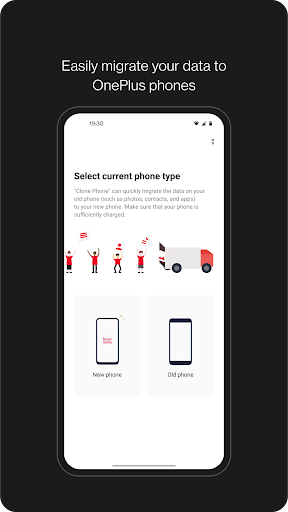
OnePlus Switch is now called Clone Phone. With this app, you can quickly transfer your contacts, messages, photos, and other data from your previous phone to other OnePlus phones.
◆ Data migration
With Clone Phone, you can easily migrate your data from Android devices to OnePlus phones without a network connection.
(Transfers from iOS devices may require a data connection.)
What you can migrate: contacts, SMS, call history, calendar, photos, videos, audio, apps (including the data of certain apps).
◆ Data backup
The data backup function can backup your data safely for restoring when required.
What you can backup: contacts, SMS, call history, notes, desktop layouts, apps (excluding data).
Note:
1. Supported data may vary on different systems and Android versions. Please check if the data is still functional after a transfer or a backup restore.
2. If the app crashes, gets stuck, fails to open, or encounters any other issues, please give us feedback or a bug report on the OnePlus Community forums.
3. If Clone Phone notifies you of insufficient storage space, you can try migrating data in batches or clear up storage space on the device.
如何下载 Clone Phone - OnePlus app APK
- 在 APK Downloader 首页 输入应用包名
com.oneplus.backuprestore。 - 选择您的设备架构(现代设备推荐选择 ARM64)。
- 点击 下载 获取合并后的 APK 文件。
- 传输并安装 APK 到您的 Android 设备上。
- 保持更新: 定期访问 APK Downloader 以搜索并下载您最喜爱的应用的最新安全版本。
安全与签名验证
此 APK 下载 100% 安全。我们验证文件的加密签名与官方开发者的凭据相匹配。无任何修改或广告注入。