
Download Sources
Device Configuration
Split APKs Installation Guide
Some apps are distributed as Split APKs (multiple .apk files packaged together) to optimize resources. Standard Android installers cannot open them.
Related Applications




What's New
* Performance optimized, more efficient
About this app
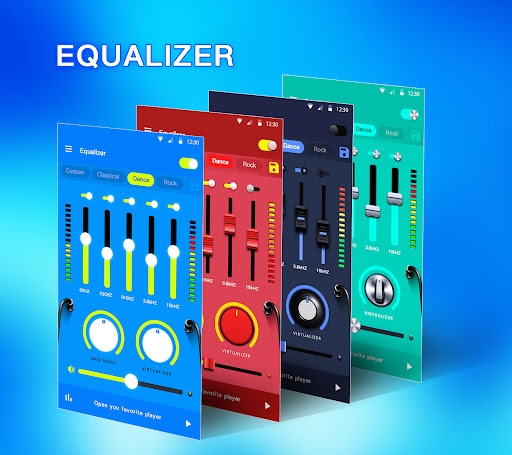
Music Equalizer Pro is an easy-to-use Equalizer music app with Bass booster, Volume booster, and 3D Virtualizer effects ! ❤️
🔊 Improves the sound of your music, creates unprecedented sound quality! 🎊🎉💯
Key Features :
♪ Bass boost effect
♪ Media volume control
♪ Stereo surround sound effect
♪ Virtualizer effect
♪ Bass booster for headphones
♪ 5 Bands Equalizer
♪ 10 bands Equalizer for android 10.x
♪ Add volume booster
♪ Enable/disable equalizer of each band
♪ 18 colorful themes
♪ 10 presets equalizations(Normal, Classic, Dance, Flat, Folk, Heavy Metal, Hip Hop, Jazz, Pop, Rock)
♪ Edge lighting
♪ Visualizer
♪ Music playing process control
♪ Enable Equalizer in notification bar or widget
💎 Music Equalizer Pro is an all-in-one bass booster & equalizer, that offers brilliant sound quality! The earlier you download it, the more musical enjoyment you can have. 🎷🎺🎸🎻
How to Download Music Equalizer - Bass Booster APK
- Enter the package name
equalizer.bassbooster.payon the APK Downloader homepage. - Select your device architecture (ARM64 recommended for modern devices).
- Click Download to get the merged APK file.
- Transfer and install the APK on your Android device.
- Keep Updated: Visit APK Downloader regularly to search for and download the latest secure versions of your favorite apps.
Security & Signature Verification
This APK download is 100% safe. We verify that the cryptographic signature of the file matches the official developer credentials. No modifications or adware are injected.