
Download Sources
Device Configuration
Split APKs Installation Guide
Some apps are distributed as Split APKs (multiple .apk files packaged together) to optimize resources. Standard Android installers cannot open them.
Related Applications




What's New
General bug fixes and improvements
About this app
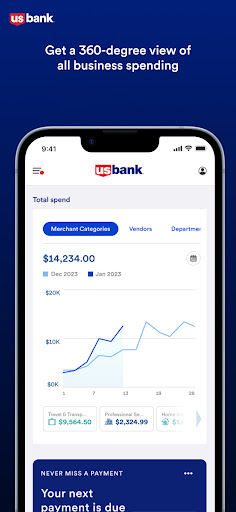
With Spend Management’s powerful features and robust card controls, you can optimize your business spending while saving time, money and effort.
Get a complete view of your business spending with analytics to understand your spending on a deeper level. Craft the perfect cards by adding custom cards tailored to your employees. Each card has controls that keep you in charge, so your employees are empowered to make authorized purchases, while you can rest easy knowing their purchases are within the limits you specify - no approval or reimbursement workflows required.
Easily keep transactions organized by adding receipts, tags and notes, and create auto-categorization rules to save time with monthly bookkeeping. Create expense policies and organize employees into departments to help manage your growing team, and add department leads and administrators to delegate responsibility. As your business grows, Spend Management grows with you.
How to Download U.S. Bank Spend Management APK
- Enter the package name
com.usbank.spendmanagementon the APK Downloader homepage. - Select your device architecture (ARM64 recommended for modern devices).
- Click Download to get the merged APK file.
- Transfer and install the APK on your Android device.
- Keep Updated: Visit APK Downloader regularly to search for and download the latest secure versions of your favorite apps.
Security & Signature Verification
This APK download is 100% safe. We verify that the cryptographic signature of the file matches the official developer credentials. No modifications or adware are injected.