
Download Sources
Device Configuration
Split APKs Installation Guide
Some apps are distributed as Split APKs (multiple .apk files packaged together) to optimize resources. Standard Android installers cannot open them.
Related Applications




What's New
This release features few enhancements.
About this app
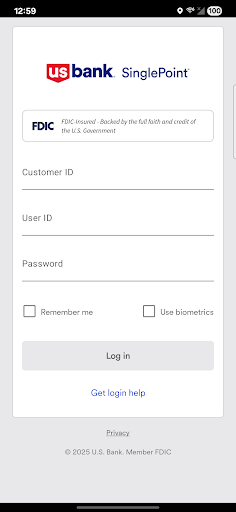
If you are a U.S. Bank corporate or business client, you can use Mobile SinglePoint to access your time-critical SinglePoint and SinglePoint Essentials services on the go. With the Mobile SinglePoint app, you can optimize your working capital while maintaining oversight of critical banking functions.
With Mobile SinglePoint, you can:
• View current and previous day balances or search for transactions within the Information Reporting database.
• Transfer funds between DDA accounts, loan accounts and trust accounts.
• Use Positive Pay; a check fraud tool that helps you make pay or return decisions quickly and confidently. You can also review exceptions for multiple accounts and view check images of exceptions.
• Approve ACH batches and templates, wire transfers, wire transfer templates, and repeat codes; book transfers, and book templates. You can also approve Positive Pay decisions.
• Review bank messages quickly and conveniently.
System administrators
Approve password resets and control access to Mobile SinglePoint. The services, accounts and access entitlements each user has on SinglePoint or SinglePoint Essentials determines which functions are available through Mobile SinglePoint.
Please note:
The Mobile SinglePoint app is free to download. Your mobile carrier may charge access fees depending upon your individual plan. Web access is needed to use the mobile app. Check with your carrier for specific fees and charges. The Mobile SinglePoint app requires Android version 4.4 or later.
U.S. Bank is committed to protecting your security. Sensitive account information including your username and password are never stored on your mobile device and secure encryption is used to protect all transactions.
For personal banking, search for U.S. Bank in the App Store; Mobile SinglePoint® is designed for business clients only. You must be a SinglePoint® or SinglePoint® Essentials client to use this mobile application. Before using this application, your system administrator must assign the mobile entitlement to you. For more information about Mobile SinglePoint, contact a U.S. Bank Treasury Management Consultant or send a request to TreasuryManagementSolutions@USBank.com to locate a consultant in your area.
How to Download Mobile SinglePoint APK
- Enter the package name
com.usbank.SinglePointon the APK Downloader homepage. - Select your device architecture (ARM64 recommended for modern devices).
- Click Download to get the merged APK file.
- Transfer and install the APK on your Android device.
- Keep Updated: Visit APK Downloader regularly to search for and download the latest secure versions of your favorite apps.
Security & Signature Verification
This APK download is 100% safe. We verify that the cryptographic signature of the file matches the official developer credentials. No modifications or adware are injected.