
Download Sources
Device Configuration
Split APKs Installation Guide
Some apps are distributed as Split APKs (multiple .apk files packaged together) to optimize resources. Standard Android installers cannot open them.
Related Applications




What's New
Handwritten notes can now by synced
Added a chromatic tuner
Added pining setlists to the top of the list
Added ability to replace the PDF file of a song
Multiple MIDI messages can be added to each song
Support for ChordPro Grid syntax
Added option to print set overviews in a compact table format
Added option to disable swipe gestures between songs in sets
Lots of other improvements and bug fixes
About this app
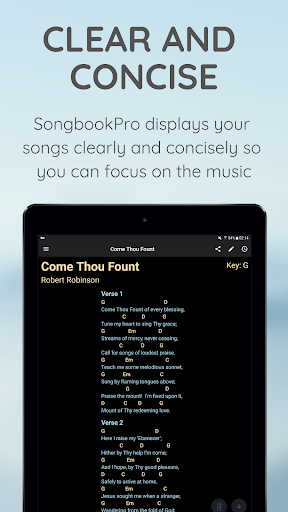
SongbookPro replaces all the hassle of carrying and organizing your chord charts, lyric sheets and songbooks with a simple app on your laptop or tablet.
A fantastic tool for guitarists, bassists, vocalists or anybody using chord charts, lyrics, sheet music or heavy songbooks, SongbookPro easily allows you to get rid of all that paper by displaying your music in a flexible, easy to read format.
Features include:
- All your songs together in one universal digital songbook
- Displays chords and lyrics clearly and concisely for easy playing
- Full pdf support for playing from sheet music
- Grouping songs into sets for easy switching between songs when playing live
- Quick and easy key and capo adjustments
- Import songs in ChordPro or onsong formats, as PDF documents or directly from UltimateGuitar.com and WorshipTogether.com
- Simple sharing of songs and sets between SongbookPro users
- Share and sync your songbook between platforms with apps for Android, iOS, Windows 10 and Amazon Fire.
Please note that SongbookPro is free to try out, however you will be limited to 12 songs in your library and online sync will is disabled until you choose to buy the full app through a small in-app purchase.
How to Download SongbookPro APK
- Enter the package name
com.songbookpro.songbookproon the APK Downloader homepage. - Select your device architecture (ARM64 recommended for modern devices).
- Click Download to get the merged APK file.
- Transfer and install the APK on your Android device.
- Keep Updated: Visit APK Downloader regularly to search for and download the latest secure versions of your favorite apps.
Security & Signature Verification
This APK download is 100% safe. We verify that the cryptographic signature of the file matches the official developer credentials. No modifications or adware are injected.