
Download Sources
Device Configuration
Split APKs Installation Guide
Some apps are distributed as Split APKs (multiple .apk files packaged together) to optimize resources. Standard Android installers cannot open them.
Related Applications



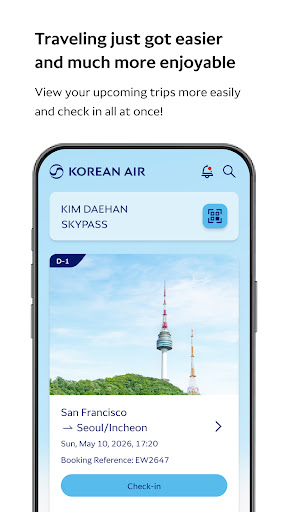


What's New
- Minor bug fixes and functional enhancement.
About this app
■ Korean Air My is now available on Wear OS.
• Service supported in Wear OS Device:
- Mobile Boarding Pass
- View SKYPASS Membership Card
※ Korean Air My on Wear OS needs to be synced with the mobile app.
■ Features
- Booking, check-in, and ticketing
- Personalized travel info per itinerary
- View the cabin of your aircraft with the 360° VR experience
- Real-time flight info via the app's push notification
- View baggage load status
- Login by using PIN number or biometric authentication
- Confirm boarding pass and SKYPASS card offline
We recommend that you upgrade to the latest version of Korean Air’s app for the newest features and fixes. Compatibility: Requires Android 5.0.0(21) (Lolipop) or later.
How to Download Korean Air My APK
- Enter the package name
com.koreanair.passengeron the APK Downloader homepage. - Select your device architecture (ARM64 recommended for modern devices).
- Click Download to get the merged APK file.
- Transfer and install the APK on your Android device.
- Keep Updated: Visit APK Downloader regularly to search for and download the latest secure versions of your favorite apps.
Security & Signature Verification
This APK download is 100% safe. We verify that the cryptographic signature of the file matches the official developer credentials. No modifications or adware are injected.