
Download Sources
Device Configuration
Split APKs Installation Guide
Some apps are distributed as Split APKs (multiple .apk files packaged together) to optimize resources. Standard Android installers cannot open them.
Related Applications





What's New
This update includes technical optimisations on app performance and stability tracking.
About this app
Introducing the New SunExpress App – Your Travel Companion, Reimagined
Make every step of your journey easier, faster, and more enjoyable with the new SunExpress app. Whether you're booking a flight or managing your trip on the go, everything you need is just a tap away.
What you can do:
- Book flights quickly and easily
- Modify your reservation with just a few taps
- Purchase baggage, choose your favorite seat, or pre-order a delicious meal
- Save your trip and access all booking details at a glance
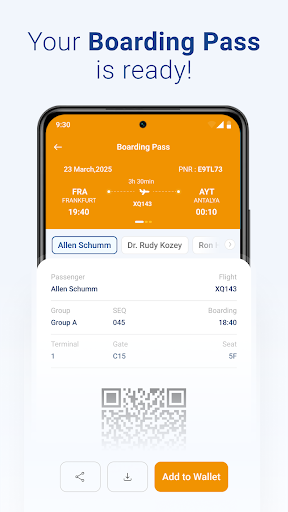
- Check in online and view your mobile boarding pass anytime
- Stay informed with real-time updates and flight notifications
- Save your boarding pass to Apple Wallet or Google Wallet for easy access
- Access essential trip information even offline
The app supports multiple languages and works seamlessly on all Android/iOS devices.
Download the SunExpress app now and make your next flight easier than ever!
How to Download SunExpress Airlines APK
- Enter the package name
com.sunexpress.liteon the APK Downloader homepage. - Select your device architecture (ARM64 recommended for modern devices).
- Click Download to get the merged APK file.
- Transfer and install the APK on your Android device.
- Keep Updated: Visit APK Downloader regularly to search for and download the latest secure versions of your favorite apps.
Security & Signature Verification
This APK download is 100% safe. We verify that the cryptographic signature of the file matches the official developer credentials. No modifications or adware are injected.