
Download Sources
Device Configuration
Split APKs Installation Guide
Some apps are distributed as Split APKs (multiple .apk files packaged together) to optimize resources. Standard Android installers cannot open them.
Related Applications




What's New
This update includes small enhancements and bug fixes to improve user experience.
About this app
Download to apply, the HSBC Expat app makes managing your banking simple, secure, and convenient wherever you are.
Our Expat Premier Bank Account is designed to support your international lifestyle, giving you seamless access to global banking. Moving abroad can be complex, but your finances don’t have to be. With an Expat Account, you’ll unlock a range of features, products, and services to help you manage your money with ease.
It takes just a few minutes to get started with HSBC Expat Mobile Banking. Download it today and you can:
• Apply for your first HSBC Expat account*, register and set up digital banking.
• Log on quickly and securely with your Face ID or Touch ID.
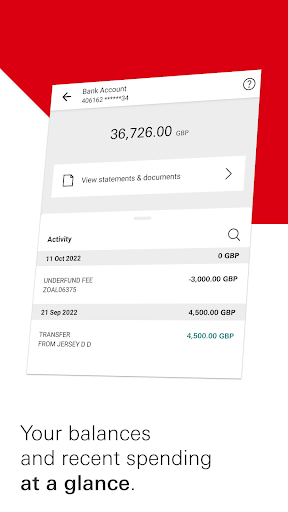
• Make payments and view your local and globally linked balances.
• 24/7 chat assistance to answer common banking queries.
• Hold up to 19 currencies in 1 place with our Global Money Account and spend in up to 18 currencies with the Global Money debit card.
• Make fee-free international payments.
How to use the HSBC Expat Mobile Banking app:
• Existing customer: If you’re registered for HSBC Expat digital banking, you can use your existing details to log on. If you’re not yet registered, download the app to get started today.
• New customer (sole account): If you’re not yet a customer, simply download the app, then select ‘open an account’ to apply.
• New customer (joint account): If you're not yet a customer and would like to have a joint account, you can apply by visiting the HSBC Expat website.
To find out more about HSBC Expat, our services or check your eligibility before applying, you can visit our website at:
https://www.expat.hsbc.com/international-banking/products/bank-account/
* Before you apply, please make sure you're 18 or older, opening this account for yourself and you don't already bank with HSBC Expat.
HSBC Expat, a division of HSBC Bank plc, Jersey branch and is regulated in Jersey by the Jersey Financial Services Commission. Please be aware that HSBC Bank plc, Jersey Branch is not authorised or licensed outside of Jersey for the provision of the services and/ or products available through this app. We cannot guarantee that the services and products available through this app are authorised to be offered outside of Jersey.
This App is not intended for download or use by any person in any jurisdiction where such download or use would not be permitted by law or regulation.
The information provided through the app is not intended for use by persons located in or resident in jurisdictions where the distribution of such material may be considered marketing or promotional and where that activity is restricted. Terms and conditions apply.
How to Download HSBC Expat APK
- Enter the package name
com.hsbc.expat.hsbcexpaton the APK Downloader homepage. - Select your device architecture (ARM64 recommended for modern devices).
- Click Download to get the merged APK file.
- Transfer and install the APK on your Android device.
- Keep Updated: Visit APK Downloader regularly to search for and download the latest secure versions of your favorite apps.
Security & Signature Verification
This APK download is 100% safe. We verify that the cryptographic signature of the file matches the official developer credentials. No modifications or adware are injected.