
Download Sources
Device Configuration
Split APKs Installation Guide
Some apps are distributed as Split APKs (multiple .apk files packaged together) to optimize resources. Standard Android installers cannot open them.
Related Applications



What's New
Optimized performance and resolved minor issues.
About this app
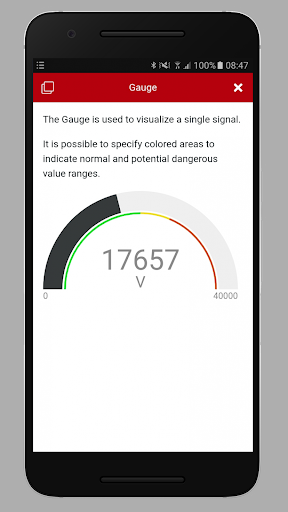
The PLUS+1® Service Tool performs diagnostics on PLUS+1® electronic components.
In PLUS+1® GUIDE you build your application with drag-and-drop logical components or software blocks in the graphical interface. It is engineered to accelerate your development process and bring higher quality machines to market faster.
Use the PLUS+1® Service Tool to download the built application to a controller. You can download parameters to a controller, then you can log and tune the controller performance.
How to Download PLUS+1® Service Tool APK
- Enter the package name
com.danfoss.plus1.servicetoolon the APK Downloader homepage. - Select your device architecture (ARM64 recommended for modern devices).
- Click Download to get the merged APK file.
- Transfer and install the APK on your Android device.
- Keep Updated: Visit APK Downloader regularly to search for and download the latest secure versions of your favorite apps.
Security & Signature Verification
This APK download is 100% safe. We verify that the cryptographic signature of the file matches the official developer credentials. No modifications or adware are injected.