
Download Sources
Device Configuration
Split APKs Installation Guide
Some apps are distributed as Split APKs (multiple .apk files packaged together) to optimize resources. Standard Android installers cannot open them.
Related Applications




What's New
Improved performance and stability
About this app
Optimize AC drive maintenance with DrivePro® 360Live – your all-in-one solution for efficient asset management.
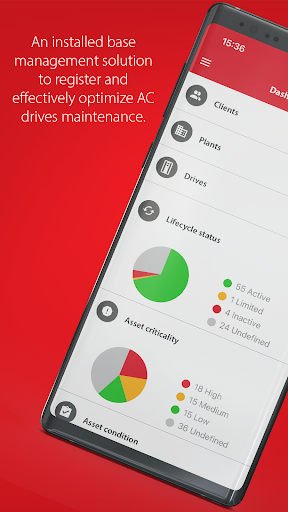
DrivePro® 360Live is an installed base management solution designed to register AC drives and to optimize drive maintenance effectively.
Key features:
• Gain 100% transparency of plant's installed base with updates on drive lifecycle, risks, and criticality.
• Access dashboards and reports
• Reduce downtime and CAPEX costs with efficient maintenance budgeting.
Danfoss experts will provide you with expert data-driven recommendations, ensuring your assets are always optimized. Focus on your business, knowing your maintenance needs are covered.
Download DrivePro® 360Live today and enhance your site performance from day one!
How to Download DrivePro® 360Live APK
- Enter the package name
com.danfoss.drivepro360liveon the APK Downloader homepage. - Select your device architecture (ARM64 recommended for modern devices).
- Click Download to get the merged APK file.
- Transfer and install the APK on your Android device.
- Keep Updated: Visit APK Downloader regularly to search for and download the latest secure versions of your favorite apps.
Security & Signature Verification
This APK download is 100% safe. We verify that the cryptographic signature of the file matches the official developer credentials. No modifications or adware are injected.