
下载来源
Device Configuration
Split APKs Installation Guide
某些应用以 Split APKs(打包在一起的多个 .apk 文件)形式分发以优化资源。标准的 Android 安装程序无法打开它们。
相关应用




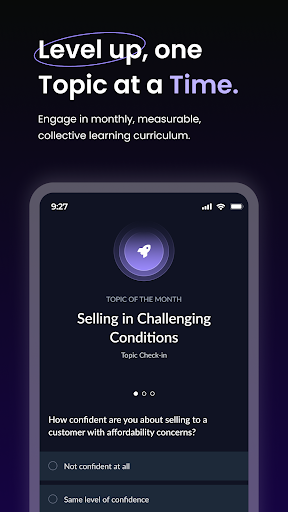


新版变化
All your assigned content is now in one place. The new Assigned Training tab on the home screen surfaces your certifications, collections, and AI exercises in one view with due dates, required badges, and a direct link to start or continue.
Need the full picture? The new Assigned Training page gives you a complete view of everything assigned to you across all content formats — organised by brand, category, and due date.
Search in Brand Pages, AI Center, Certification Center & Quiz Center
关于此应用
Here at RockED, we believe that learning and development should be as fun and entertaining as spending time on your favorite app.
RockED is a microlearning platform that delivers byte sized learning content, curated from the industry’s bests, to your mobile device - daily.
RockED Highlights -
1) Unleash your full potential within minutes through RockED’s microlearning content.
2) Curated journeys tailored to each individual’s knowledge and skillset level.
3) Learn from select RockED Stars, proven and active industry experts only.
4) Practice makes perfect, RockED builds in fun activities to reinforce actual learning success.
5) No more written tests! Show off your style through RockED’s personalized video activities.
如何下载 The RockED App APK
- 在 APK Downloader 首页 输入应用包名
us.rocked.rockedapp。 - 选择您的设备架构(现代设备推荐选择 ARM64)。
- 点击 下载 获取合并后的 APK 文件。
- 传输并安装 APK 到您的 Android 设备上。
- 保持更新: 定期访问 APK Downloader 以搜索并下载您最喜爱的应用的最新安全版本。
安全与签名验证
此 APK 下载 100% 安全。我们验证文件的加密签名与官方开发者的凭据相匹配。无任何修改或广告注入。