
下载来源
Device Configuration
Split APKs Installation Guide
某些应用以 Split APKs(打包在一起的多个 .apk 文件)形式分发以优化资源。标准的 Android 安装程序无法打开它们。



新版变化
3.85.1166
- Fixed an issue with the VAG TP protocol
- Added reference for Renault/Dacia brands
- Improvement for Volvo brand
关于此应用
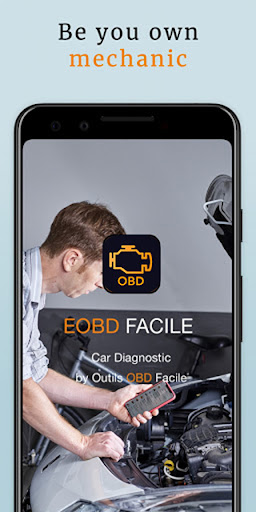
Check engine light on? Free OBD2 diagnostic in 2 minutes.
OBD2 car scanner trusted by over 5 million drivers worldwide.
Connect an ELM327 Bluetooth or WiFi adapter, launch the app, and find out exactly what's wrong with your car — no mechanic needed. A lightweight alternative to Torque and Car Scanner, compatible with thousands of vehicles.
🔧 CHECK ENGINE LIGHT IS ON?
Run a complete OBD2 scan and car diagnostic in seconds.
EOBD Facile reads and clears engine and transmission fault codes (DTC) so you know exactly what's wrong with your vehicle.
Our code database covers 15,000+ definitions, including manufacturer-specific codes for BMW, Audi, Volkswagen, Ford, Mercedes, Renault, Peugeot, Fiat, Opel, Kia, Nissan, Toyota, Volvo, Subaru, Jeep, Lexus and many more.
📊 REAL-TIME OBD 2 LIVE DATA
Monitor your car like a pro: engine RPM, coolant temperature, vehicle speed, ignition timing, engine torque, air intake, fuel pressure, EGR, DPF, and 40+ more parameters.
Record sensor sessions and replay them on Windows or Mac for deeper analysis.
✅ WHAT YOU CAN DO WITH THIS OBD SCANNER:
• Read fault codes and instantly understand the issue
• Turn off the check engine light without a mechanic visit
• Display manufacturer-specific error codes for your car brand
• Watch engine torque, RPM and live sensor data with graphs
• Auto-identify your vehicle (VIN decoder)
• Run sensor coherence tests for advanced diagnostics
• Measure acceleration performance (0–60 mph, 0–100 km/h)
• Record trips and data logs
• Generate and share professional PDF diagnostic reports
• Test the quality of your ELM 327 adapter
🚗 OBD COMPATIBLE VEHICLES
Works with all cars compliant with the OBD-II standard (also written OBD, OBD2, OBD 2, OBDii, OBD ll, or sometimes ODB2 / ODB).
Gasoline cars from 2001, diesel from 2004, commercial vehicles from 2007.
Thousands of cars verified by our community — full compatibility list on our website.
🔌 EASY BLUETOOTH OR WIFI CONNECTION
EOBD Facile connects to any standard OBD ELM327 Bluetooth or WiFi adapter: klavkarr, Vgate, Veepeak and other compatible OBD2 car code readers.
Plug into your OBD port, launch the free app, start scanning. That's it.
⚠️ Warning about cheap ELM327 clones: many do not work properly. Use our built-in adapter test to verify compatibility before buying a new scanner.
Can't find your OBD2 port? Download our free companion app "Where is my OBD2 port?" to locate it.
⭐ PLUS VERSION: PRO DIAGNOSTICS
The PLUS version unlocks:
• Manufacturer-specific fault codes
• Unlimited sensor recording
• Shareable PDF reports
• Full VIN decoding
• Sensor coherence testing
Professional-grade OBD2 diagnostics in your pocket.
Download EOBD Facile for free — the OBD2 car scanner trusted by 5 million+ drivers.
🌐 https://www.klavkarr.com
如何下载 OBD2 Car Scanner - EOBD Facile APK
- 在 APK Downloader 首页 输入应用包名
org.eobdfacile.android。 - 选择您的设备架构(现代设备推荐选择 ARM64)。
- 点击 下载 获取合并后的 APK 文件。
- 传输并安装 APK 到您的 Android 设备上。
- 保持更新: 定期访问 APK Downloader 以搜索并下载您最喜爱的应用的最新安全版本。
安全与签名验证
此 APK 下载 100% 安全。我们验证文件的加密签名与官方开发者的凭据相匹配。无任何修改或广告注入。