
下载来源
Device Configuration
Split APKs Installation Guide
某些应用以 Split APKs(打包在一起的多个 .apk 文件)形式分发以优化资源。标准的 Android 安装程序无法打开它们。
相关应用



新版变化
- Add emotion tags to your text to make your voiceovers sound more natural and expressive.
- Added the ability to change the app language in the Settings page.
- Performance improvements have been made.
We are continuously working to provide you with a better experience. Please make sure to update to the latest version to enjoy the newest features.
关于此应用
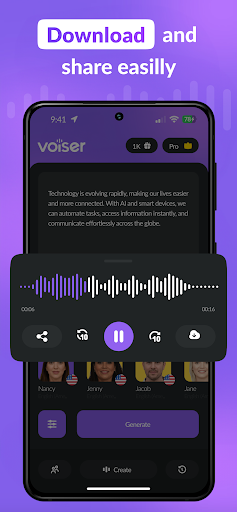
Voiser is the most powerful text to speech app for creating natural,
human-like AI voiceovers. With 550+ AI voices in 75+ languages, Voiser
helps content creators, professionals, and students convert any text into
studio-quality audio in seconds.
WHAT MAKES VOISER DIFFERENT
Unlike basic TTS apps, Voiser uses advanced AI speech synthesis to produce
voices that sound genuinely human. Customize pitch, speed, and emotional
tone to match your project — whether it's a YouTube video, podcast episode,
audiobook narration, or business presentation.
KEY FEATURES
🎙️ 550+ AI Voices
Choose from a vast library of male, female, and character voices across
75+ languages. Each voice is designed for natural pronunciation and clear
articulation in its native language.
📄 Convert Any Content
Import text directly, or let Voiser read your PDFs, EPUB files, and even
photos with built-in OCR. Turn any written content into spoken audio
effortlessly.
🎨 Full Voice Customization
Adjust pitch, speed, and tone. Use tagged voices for precise control over
how each section of your text is delivered. Save your favorite voice
configurations for instant reuse.
⭐ Favorites & Quick Access
Add your most-used voices to favorites for one-tap access. Build your
personal voice library for recurring projects.
🔊 High-Quality Audio Export
Export your voiceovers in MP3 format at studio quality. Perfect for
professional video production, e-learning content, or social media posts.
WHO USES VOISER
- Content creators producing voiceovers for YouTube, TikTok, and Reels
- Students converting study materials and textbooks to audio
- Business professionals creating narrated presentations
- Authors and publishers producing audiobook content
- Educators building accessible learning materials
- Podcasters generating intro segments and ad reads
Voiser is trusted by over 1 million users worldwide. Download now and
experience the difference between ordinary text to speech and truly
natural AI voice generation.
Privacy Policy: https://voiser.ai/privacy-policy
Terms of Use: https://voiser.ai/terms-of-use
如何下载 AI Voice: Text to Speech TTS APK
- 在 APK Downloader 首页 输入应用包名
com.voiser.texttospeech。 - 选择您的设备架构(现代设备推荐选择 ARM64)。
- 点击 下载 获取合并后的 APK 文件。
- 传输并安装 APK 到您的 Android 设备上。
- 保持更新: 定期访问 APK Downloader 以搜索并下载您最喜爱的应用的最新安全版本。
安全与签名验证
此 APK 下载 100% 安全。我们验证文件的加密签名与官方开发者的凭据相匹配。无任何修改或广告注入。