
下载来源
Device Configuration
Split APKs Installation Guide
某些应用以 Split APKs(打包在一起的多个 .apk 文件)形式分发以优化资源。标准的 Android 安装程序无法打开它们。
相关应用




新版变化
This release features few enhancements.
关于此应用
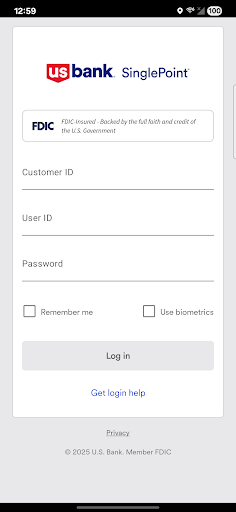
If you are a U.S. Bank corporate or business client, you can use Mobile SinglePoint to access your time-critical SinglePoint and SinglePoint Essentials services on the go. With the Mobile SinglePoint app, you can optimize your working capital while maintaining oversight of critical banking functions.
With Mobile SinglePoint, you can:
• View current and previous day balances or search for transactions within the Information Reporting database.
• Transfer funds between DDA accounts, loan accounts and trust accounts.
• Use Positive Pay; a check fraud tool that helps you make pay or return decisions quickly and confidently. You can also review exceptions for multiple accounts and view check images of exceptions.
• Approve ACH batches and templates, wire transfers, wire transfer templates, and repeat codes; book transfers, and book templates. You can also approve Positive Pay decisions.
• Review bank messages quickly and conveniently.
System administrators
Approve password resets and control access to Mobile SinglePoint. The services, accounts and access entitlements each user has on SinglePoint or SinglePoint Essentials determines which functions are available through Mobile SinglePoint.
Please note:
The Mobile SinglePoint app is free to download. Your mobile carrier may charge access fees depending upon your individual plan. Web access is needed to use the mobile app. Check with your carrier for specific fees and charges. The Mobile SinglePoint app requires Android version 4.4 or later.
U.S. Bank is committed to protecting your security. Sensitive account information including your username and password are never stored on your mobile device and secure encryption is used to protect all transactions.
For personal banking, search for U.S. Bank in the App Store; Mobile SinglePoint® is designed for business clients only. You must be a SinglePoint® or SinglePoint® Essentials client to use this mobile application. Before using this application, your system administrator must assign the mobile entitlement to you. For more information about Mobile SinglePoint, contact a U.S. Bank Treasury Management Consultant or send a request to TreasuryManagementSolutions@USBank.com to locate a consultant in your area.
如何下载 Mobile SinglePoint APK
- 在 APK Downloader 首页 输入应用包名
com.usbank.SinglePoint。 - 选择您的设备架构(现代设备推荐选择 ARM64)。
- 点击 下载 获取合并后的 APK 文件。
- 传输并安装 APK 到您的 Android 设备上。
- 保持更新: 定期访问 APK Downloader 以搜索并下载您最喜爱的应用的最新安全版本。
安全与签名验证
此 APK 下载 100% 安全。我们验证文件的加密签名与官方开发者的凭据相匹配。无任何修改或广告注入。