
下载来源
Device Configuration
Split APKs Installation Guide
某些应用以 Split APKs(打包在一起的多个 .apk 文件)形式分发以优化资源。标准的 Android 安装程序无法打开它们。




新版变化
Performance improvement
关于此应用
■App Details
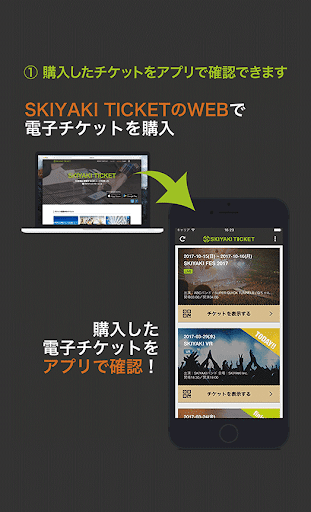
This app is for SKIYAKI TICKET(https://ticket.skiyaki.tokyo/en/). With this app, you will be able to enter the concert and events without the actual paper-ticket.
※To purchase a ticket in SKIYAKI TICKET, you’ll need the device with this app installed.
■Function List in this App
【How to check tickets】
When you log in with the SKIYAKI ID and password which used to buy SKIYAKI TICKET (Web service), you’ll see the ticket list in the page.
You can find how many tickets you have and event details from that ticket list page.
※This app cannot be used for purchasing tickets. Go to the web service to buy a ticket.
※In the list, you’ll see the tickets available for you.
The app won’t display any lottery results or tickets that haven’t been purchased, so go to the web service for those tickets.
【How to enter】
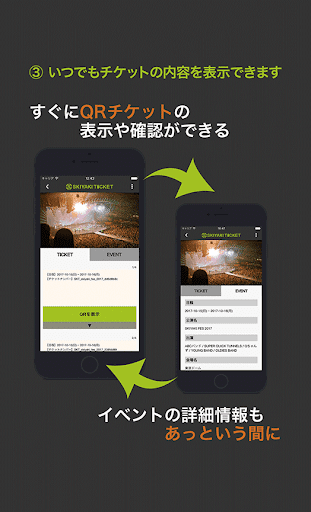
From the ticket detail screen, press ”Enter” button and display the QR code.
When you are in line, please show the QR code to the entrance staff.
The entrance staff will verify your QR code with the SKIYAKI Reader app. After completing verification, you can enter the venue.
※ Your ticket can be displayed when you are off-line.
※Once the QR code is verified, you cannot use the QR code once more. Please watch out for its use.
※Only one person can enter the venue with one QR code.
If other users get into the venue at once, please find another QR code on the ticket page.
※QR code changes every 30 minutes, you cannot enter the venue with its screen shot.
Make sure to display the QR code in the application.
【How to share tickets】
By sharing the tickets, you can share one of your tickets to your friend.
Click “Share Ticket” button in the ticket detail page and enter the phone number of your friend you want to share the ticket with.
Your friend will get the email of ticket sharing.
Before your friend receive the ticket, you can cancel the ticket sharing.
Select the ticket shared and click ”Cancel Sharing” to cancel the ticket share.
※The users have to be SKIYAKI TICKET members as well as completing SMS verification and logged in SKIYAKI TICKET App.
※You cannot re-share the ticket shared with others.
※You cannot share the ticket with others when you have only one ticket with.
※You cannot cancel the ticket sharing once it’s completed.
■What’s SKIYAKI TICKET?
SKIYAKI TICKET is the electronic ticketing service operated by SKIYAKI.
You can create an account for free.
You can purchase the ticket with multiple payments, such as credit card, convenience store payment, and PayPal, and the ticketing service is safe and secured due to its strong verification system.
※The QR code is the registered trademark for DENSO WAVE INCORPORATED.
如何下载 SKIYAKI TICKET ! APK
- 在 APK Downloader 首页 输入应用包名
com.tokyo.skiyaki.SkiyakiTicket。 - 选择您的设备架构(现代设备推荐选择 ARM64)。
- 点击 下载 获取合并后的 APK 文件。
- 传输并安装 APK 到您的 Android 设备上。
- 保持更新: 定期访问 APK Downloader 以搜索并下载您最喜爱的应用的最新安全版本。
安全与签名验证
此 APK 下载 100% 安全。我们验证文件的加密签名与官方开发者的凭据相匹配。无任何修改或广告注入。