
下载来源
Device Configuration
Split APKs Installation Guide
某些应用以 Split APKs(打包在一起的多个 .apk 文件)形式分发以优化资源。标准的 Android 安装程序无法打开它们。
相关应用




关于此应用
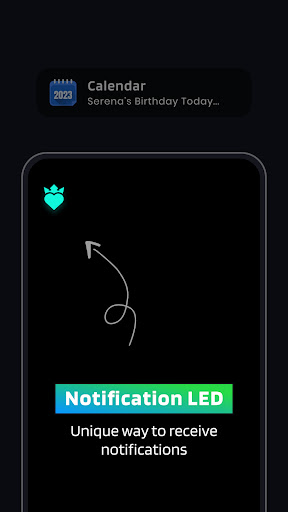
Customize your device's LED notifications and give them a unique touch. Here's what you can expect from our app:
All Apps:
With our "All Apps" feature, you can access all the apps on your device, including user apps and system apps. You can select the notification icon for each app and customize it as per your preferences, also have the option to choose from a variety of shapes and colors.
* Notification settings for your apps:
- Led Animation Time: Control the duration of the LED animation when a notification is received.
- Blink Interval: Set the frequency of LED blinks for notifications.
- Stop Timer: Define the length of time after which the LED animation will stop.
- Start Delay: Set the delay before the animation begins after a notification is received.
- Missed Call Notification: Choose to receive LED notification for missed calls.
- Show while in DND mode: Define whether the LED animation should show while the device is in "Do Not Disturb" mode.
- Battery Optimization: Specify the minimum battery level required for LED notifications to be displayed.
- Personalized LED: Control whether individual apps are displayed as an LED notification.
* Select apps to notify :
- You can select specific apps to display on your home screen.
* Also includes a service button that enables you to turn notification services on and off as needed.
Upgrade your device's notification system and
Experience a new level of personalization with "App Notification Edge Lighting." Try it out today!
Edge Lighting for app notification is a cool feature that makes your notification look cool on your screen.
Permissions :
1. Overlay Permission: We need this permission to Show the blinking icon of notification when a device is locked.
2. Read Phone State: We need this permission to check missed call or incoming call on a device and show it with edge lighting.
3. Notification listener: We need this permission to show incoming notifications for a selected application.
如何下载 App Notification Edge Lighting APK
- 在 APK Downloader 首页 输入应用包名
com.kraph.notificationedge。 - 选择您的设备架构(现代设备推荐选择 ARM64)。
- 点击 下载 获取合并后的 APK 文件。
- 传输并安装 APK 到您的 Android 设备上。
- 保持更新: 定期访问 APK Downloader 以搜索并下载您最喜爱的应用的最新安全版本。
安全与签名验证
此 APK 下载 100% 安全。我们验证文件的加密签名与官方开发者的凭据相匹配。无任何修改或广告注入。