
下载来源
Device Configuration
Split APKs Installation Guide
某些应用以 Split APKs(打包在一起的多个 .apk 文件)形式分发以优化资源。标准的 Android 安装程序无法打开它们。
相关应用




新版变化
Fix some bugs.
关于此应用
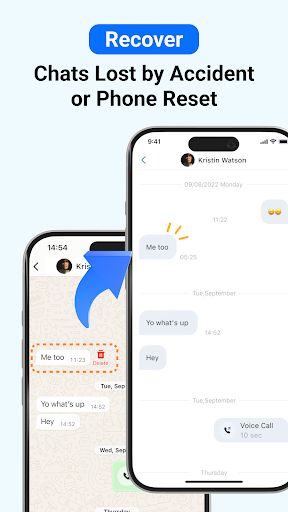
ChatsBack is a powerful recovery app that helps you easily recover deleted messages, photos, videos, voice notes, and files - even if you don't have a backup. Whether your chats were accidentally deleted, lost during a phone reset, or retracted by the sender, ChatsBack makes recovery simple and secure.
Key Features
📩 Recover deleted messages without backup
📸 Restore photos, videos, voice notes, and documents
👀 View messages and attachments that were recalled or retracted
🔒 No blue tick - read deleted messages privately
💾 Export recovered data to HTML, PDF, CSV, or Excel for safekeeping
⚡ High success rate on the latest Android versions, including Android 13+
Common Use Cases
- Accidentally deleted important chats
- Phone reset or system update caused message loss
- Need to restore family photos, videos, or voice messages
- Retrieve work files or contacts shared in groups
- Access and organize old conversations for personal records
Why Choose ChatsBack?
★ Practical & Reliable - Recover deleted messages without backup in just a few taps.
★ Simple & Clear- User-friendly design with step-by-step guides for easy recovery.
★ Safe & Secure - Your data privacy is highly protected and will never be shared.
★ Convenient & Flexible - Directly save recovered messages and media to your phone, or export them to your computer for backup.
How It Works?
1. Download and install the ChatsBack app on your Android device.
2. Grant the necessary permissions to enable recovery.
3. Scan, preview, and select the data you want to restore.
4. Recover deleted messages and files instantly to your phone or computer.
No more frustration when important chats or media disappear. With ChatsBack, you can always keep your history safe, organized, and accessible.
🌟 Start using ChatsBack today and never lose your data again!
Privacy Policy: https://www.imyfone.com/company/privacy-policy/
Terms of Service: https://www.imyfone.com/company/terms-conditions-2018-05/
License Agreement: https://www.imyfone.com/company/license-agreement/
如何下载 ChatsBack See Deleted Messages APK
- 在 APK Downloader 首页 输入应用包名
com.imyfone.chatback。 - 选择您的设备架构(现代设备推荐选择 ARM64)。
- 点击 下载 获取合并后的 APK 文件。
- 传输并安装 APK 到您的 Android 设备上。
- 保持更新: 定期访问 APK Downloader 以搜索并下载您最喜爱的应用的最新安全版本。
安全与签名验证
此 APK 下载 100% 安全。我们验证文件的加密签名与官方开发者的凭据相匹配。无任何修改或广告注入。