
下载来源
Device Configuration
Split APKs Installation Guide
某些应用以 Split APKs(打包在一起的多个 .apk 文件)形式分发以优化资源。标准的 Android 安装程序无法打开它们。
相关应用




新版变化
• More built-in mini games are coming soon. Mix it up when you’re offline.
• Signing in to games is now automatic. Just pick your account and go. (Yes, you can change that account anytime in settings.)
关于此应用
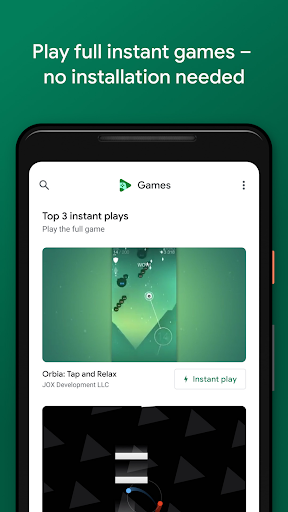
Games are more fun with the Google Play Games app. We'll help you find your next favorite game – from action to puzzles. And with "Instant play," many games require no installation. Really. Save your progress and track your achievements as you level up. Plus, you can pick up where you left off from any device.
KEY FEATURES
• Instant play: There’s no installation needed – look for the "Instant play" button to instantly play full games.
• Built-in Google games: Play Solitaire, Minesweeper, Snake, PAC-MAN, Cricket, and Whirlybird – even when you’re offline.
• Save your progress: Your progress is automatically saved to the cloud when you see "Progress saved by Play Games."
• Gamer profile: Create a custom gamer ID, unlock achievements, earn XP, and level up.
• Gameplay recording: Easily record and share your best gameplay moments.
如何下载 Google Play Games APK
- 在 APK Downloader 首页 输入应用包名
com.google.android.play.games。 - 选择您的设备架构(现代设备推荐选择 ARM64)。
- 点击 下载 获取合并后的 APK 文件。
- 传输并安装 APK 到您的 Android 设备上。
- 保持更新: 定期访问 APK Downloader 以搜索并下载您最喜爱的应用的最新安全版本。
安全与签名验证
此 APK 下载 100% 安全。我们验证文件的加密签名与官方开发者的凭据相匹配。无任何修改或广告注入。