
下载来源
Device Configuration
Split APKs Installation Guide
某些应用以 Split APKs(打包在一起的多个 .apk 文件)形式分发以优化资源。标准的 Android 安装程序无法打开它们。
相关应用



关于此应用
Create a domestic and international shipping label, track shipment status and manage your packages wherever you are with the FedEx Mobile app. Use the app to get quick rates, find a pickup or drop off location, scan bar codes, and view rewards. Enroll in FedEx Delivery Manager® to customize when and where you’d like to receive your packages.
Available in all regions
• Track the status of all incoming or outgoing packages
• Create a mobile shipment label and request a pickup**
• Enable push notifications to get updates on your shipments and a sound notification on delivered shipments*
• Scan a barcode for easy tracking*
• Find a FedEx location near you*
• View or cancel a scheduled pickup
• Create a new pickup
• Get shipment cost estimates and delivery times
• Access your shipper address book
• Log in with finger or facial recognition
• Search your list of shipments by tracking number, references, vendors and more
Available in some regions
• Enroll in FedEx Delivery Manager to:
o Hold a package at a preferred FedEx location
o Leave delivery instructions for the courier
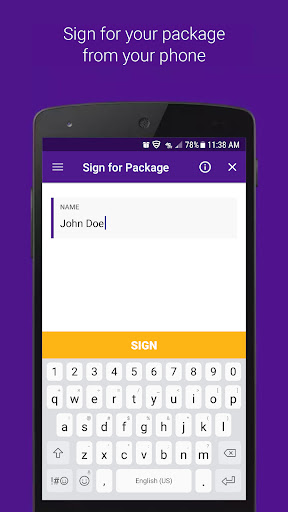
o Sign for a package requiring your signature
o Request a vacation hold
• Reroute your package to a FedEx location to pick up at your convenience
• Ship directly to a FedEx-designated location
• Scan your door tag to get information and options regarding your missed shipment
• Access a chat assistant for FedEx Mobile app and services questions
• Create a login for more convenient tracking
• View rewards
Thank you for using the FedEx Mobile app! Have feedback? Email us at mobile@fedex.com.
FedEx Delivery Manager is only available for residential deliveries within the U.S. You must be signed in to the FedEx Mobile app and registered for FedEx Delivery Manager to use selected features.
*Maximize your FedEx experience by allowing the following permissions: Location to find a convenient FedEx location, Camera to scan a shipping label and track a package, and Push Notifications to receive notifications on a package. Also, get Sound Notifications for delivered packages by turning on sound in your settings.
**Shipping administration rules apply.
如何下载 FedEx Mobile APK
- 在 APK Downloader 首页 输入应用包名
com.fedex.ida.android。 - 选择您的设备架构(现代设备推荐选择 ARM64)。
- 点击 下载 获取合并后的 APK 文件。
- 传输并安装 APK 到您的 Android 设备上。
- 保持更新: 定期访问 APK Downloader 以搜索并下载您最喜爱的应用的最新安全版本。
安全与签名验证
此 APK 下载 100% 安全。我们验证文件的加密签名与官方开发者的凭据相匹配。无任何修改或广告注入。