
下载来源
Split APKs Installation Guide
某些应用以 Split APKs(打包在一起的多个 .apk 文件)形式分发以优化资源。标准的 Android 安装程序无法打开它们。
相关应用





新版变化
We are working hard to provide you a seamless experience.
关于此应用
What is the benefit of Net Optimizer?
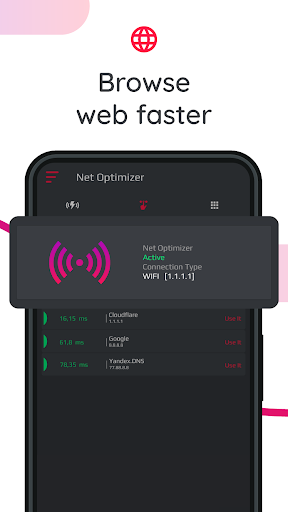
-Find & Connect the fastest DNS server based on your location & network.
-Improve web surfing speed with faster response time.
-Fix lag and reduce latency (ping time) on online games for better gaming experience.
Features
-Just one touch to find & connect fastest DNS server to optimize your connection.
-Automatically detect connection changes and optimize the network.
-Scan manually all DNS servers with one touch to see all details yourself.
-Works for both mobile data (3G/4G/5G) and WiFi connection
-Supported DNS Servers: Cloudflare, Level3, Verisign, Google, DNS Watch, Comodo Secure, OpenDNS, SafeDNS, OpenNIC, SmartViper, Dyn, FreeDNS, Alternate DNS, Yandex DNS, UncensoredDNS, puntCAT
How it works?
If you have a high-speed Internet connection but notice that your web browsing speed isn’t all that it’s cracked up to be, then your problem may lie in the DNS. By optimizing your device's DNS records, you can find the fastest routes for your data packets to take when traveling the Internet. It won’t boost to your download/upload speed, but in some cases it can result in quite a noticeable improvement in web browsing time.
At times, you may experience slow hiccups while trying to use the internet from your device. Sometimes, these problems can be attributed to your provider's DNS settings because your ISP may not always have the best DNS server speeds.
Your default DNS server directly affects how fast you’ll be able to connect to a website. So choosing the fastest server according to your location will help speed up browsing.
With Net Optimizer, you can find the fastest DNS server and connect to it with just one touch!
So your browsing speed and gaming experience (ping and latency) can be improved. (But you should remember that DNS settings will not affect your internet download / upload speed but response time)
Results
Test results showed a 132.1 percent improvement from using Google's DNS servers over using the stock DNS servers, but in real world usage, it might not be exactly that much faster. Still, this one tweak might get you finally feeling like you have a blazing connection to the internet!
Required Permissions And Privacy Notes
Overlay Permission: To show Auto Optimize pop-up, we ask for display over other apps permission.
VPNService: Net Optimizer uses VPNService base class to create DNS connection. When your Android device connects to the Internet from a specific network, your address on the Internet (the location of your Android device in the virtual network) is called the IP address. And the IP address is a code system consisting of encrypted numbers. Net Optimizer processes these numbers as site addresses by using DNS servers, and the address can be reached when searched in this way.
如何下载 Net Optimizer: Optimize Ping APK
- 在 APK Downloader 首页 输入应用包名
com.burakgon.netoptimizer。 - 选择您的设备架构(现代设备推荐选择 ARM64)。
- 点击 下载 获取合并后的 APK 文件。
- 传输并安装 APK 到您的 Android 设备上。
- 保持更新: 定期访问 APK Downloader 以搜索并下载您最喜爱的应用的最新安全版本。
安全与签名验证
此 APK 下载 100% 安全。我们验证文件的加密签名与官方开发者的凭据相匹配。无任何修改或广告注入。