
下载来源
Split APKs Installation Guide
某些应用以 Split APKs(打包在一起的多个 .apk 文件)形式分发以优化资源。标准的 Android 安装程序无法打开它们。
相关应用


新版变化
An update on updates — we’ve implemented them. We’ve tweaked a few things and shooed away some bugs to keep Avast Password Manager running smooth. Make sure you upgrade to the latest version.
关于此应用
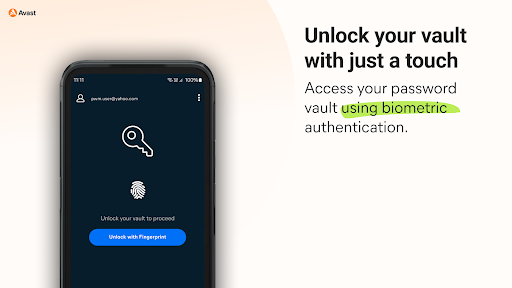
Easily secure all your passwords, credit cards, addresses, and sensitive information across the web and on any device with Avast Password Manager mobile app*.
SIMPLIFY YOUR LIFE
You no longer have to remember all your passwords or account emails, Avast Password Manager does it for you with our built-in auto-fill feature that pre-fills your login information with a tap.
SECURE YOUR DIGITAL LIFE
Secure your digital life from online threats with our end-to-end, zero-knowledge encryption password vault and built-in password generator that allows you to create strong and unique passwords on the go. With zero-knowledge encryption and two-factor authentication, only you can unlock and access your data, not even Avast has access to your vault. These security measures help keep your data safer from cybercriminals and hacking attempts.
WEAK PASSWORD DETECTION
Our security checks for weak passwords and easily detects and suggests unique, strong passwords, so you don’t have to spend time creating new passwords.
* Requires your device to have an internet connection. You can easily import your passwords from other browsers and other password managers to Avast Password Manager. All you need is to be on a Mac or Windows and have the extension on your browser. For more details go: https://support.avast.com/en-us/article/2730/
With the free version, we reserve the right to limit the number of entries (like passwords) at any time. This limitation won’t affect any existing entries in your vault.
PRIVACY POLICY
AVAST respects the privacy of our users and carefully safeguards personal data.
By using this add-on, you have read and agree with our General Privacy Policy (https://www.avast.com/privacy-policy) and Products Policy (https://www.avast.com/products-policy).
如何下载 Avast Password Manager APK
- 在 APK Downloader 首页 输入应用包名
com.avast.passwordmanager。 - 选择您的设备架构(现代设备推荐选择 ARM64)。
- 点击 下载 获取合并后的 APK 文件。
- 传输并安装 APK 到您的 Android 设备上。
- 保持更新: 定期访问 APK Downloader 以搜索并下载您最喜爱的应用的最新安全版本。
安全与签名验证
此 APK 下载 100% 安全。我们验证文件的加密签名与官方开发者的凭据相匹配。无任何修改或广告注入。