
下载来源
Split APKs Installation Guide
某些应用以 Split APKs(打包在一起的多个 .apk 文件)形式分发以优化资源。标准的 Android 安装程序无法打开它们。
相关应用




新版变化
- Widget for quick lock/unlock apps and notifications
关于此应用
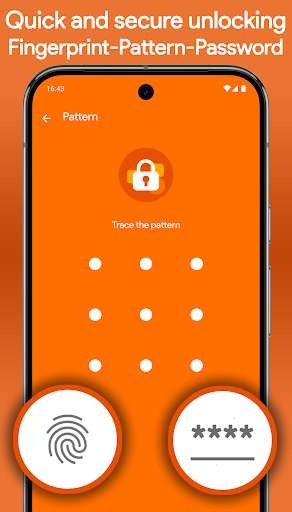
🔒 AppLockr helps you lock apps, protect your privacy, and secure personal data with PIN or fingerprint protection.
Keep your private apps safe, hide sensitive notifications, and automatically capture intruder selfies when someone enters the wrong PIN.
Protect WhatsApp, Telegram, Instagram, Photos, Gallery, and other private apps with powerful app lock protection.
✅ KEY FEATURES:
• Lock apps with secure PIN or fingerprint protection
• Hide notifications from locked apps for complete privacy
• Intruder selfie – Automatically capture photos of anyone trying to unlock your apps with the wrong PIN
• Encrypt private photos, files, and sensitive data with secure AES-256 encryption
• Instantly view intruder selfies when opening the app
• Flexible protection modes – Lock apps, notifications, or both together
• Quick lock and unlock widget for fast access
• Local storage only – No cloud uploads, no third-party sharing
🔐 YOUR PRIVACY COMES FIRST
AppLockr does not track your activity or upload your personal data.
No cloud storage. No tracking. No data sharing. Everything stays securely on your device.
🧩 LIGHTWEIGHT, FAST, AND SIMPLE
Designed for speed and ease of use, AppLockr protects your apps without slowing down your phone or draining your battery.
🚀 GET STARTED NOW
Secure your apps, protect your privacy, and keep your personal data safe with AppLockr.
如何下载 App Lock & Privacy — AppLockr APK
- 在 APK Downloader 首页 输入应用包名
com.applockr。 - 选择您的设备架构(现代设备推荐选择 ARM64)。
- 点击 下载 获取合并后的 APK 文件。
- 传输并安装 APK 到您的 Android 设备上。
- 保持更新: 定期访问 APK Downloader 以搜索并下载您最喜爱的应用的最新安全版本。
安全与签名验证
此 APK 下载 100% 安全。我们验证文件的加密签名与官方开发者的凭据相匹配。无任何修改或广告注入。