
下载来源
Device Configuration
Split APKs Installation Guide
某些应用以 Split APKs(打包在一起的多个 .apk 文件)形式分发以优化资源。标准的 Android 安装程序无法打开它们。
相关应用




新版变化
Performance improvements,
Billing library update.
关于此应用
Fluent - Teleprompter widget help to read recently prepared text on your phone screen right during the recording video with any camera application.
We have developed a unique widget that works on all applications like Zoom, Team, Google Meet, Instagram live, Facebook live,YouTube live, etc.
Which provides a simple and convenient functionality, will help you perform at the very best during a live broadcast.
With Fluent Teleprompter widget you can:
- Change the size and position of the widget on the screen.
- Configure the script text size, colour and speed of its movement.
- You can change the size and position of the widget on the screen;
- At any time, play and pause the script scrolling and put it to the any position on then screen.
- Change the colour of the widget and adjust the opacity of its background.
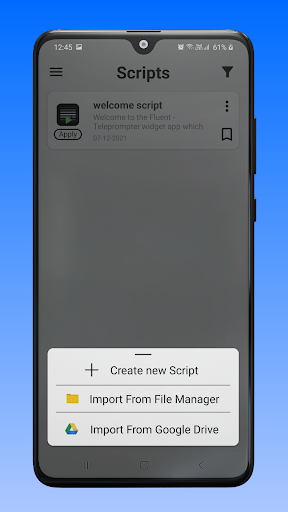
- You can take backup your all scripts on your device and also Import script from Device and Google Drive.
How to use.
- Create script or import script.
- Change your desired settings on script like Text size, Background colour, Opacity, Text colour, Font style, Text scrolling speed and Text alignment.
- Press apply button for widget on script.
如何下载 Fluent Teleprompter widget APK
- 在 APK Downloader 首页 输入应用包名
com.FluentApp。 - 选择您的设备架构(现代设备推荐选择 ARM64)。
- 点击 下载 获取合并后的 APK 文件。
- 传输并安装 APK 到您的 Android 设备上。
- 保持更新: 定期访问 APK Downloader 以搜索并下载您最喜爱的应用的最新安全版本。
安全与签名验证
此 APK 下载 100% 安全。我们验证文件的加密签名与官方开发者的凭据相匹配。无任何修改或广告注入。