
下载来源
Device Configuration
Split APKs Installation Guide
某些应用以 Split APKs(打包在一起的多个 .apk 文件)形式分发以优化资源。标准的 Android 安装程序无法打开它们。
相关应用




关于此应用
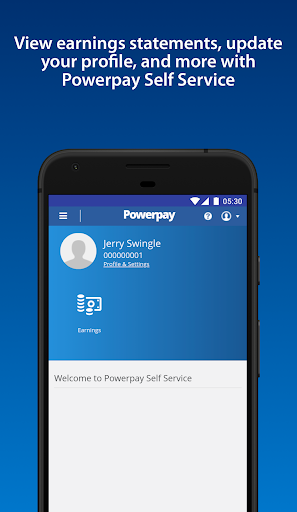
Need access to your work life from anywhere at any time? Powerpay Employee Self Service puts you in the driver’s seat with an engaging, intuitive mobile experience to access your most current pay details and personal information with the touch of your hand.
As an employee, being able to access your personal and pay information efficiently is critical to ensuring you get paid accurately and on-time. From checking your earnings, to downloading year-end tax forms and viewing your personal information. See how Powerpay’s Self Service mobile access can improve work life by providing secure, on-the-go access to your information so you can access information and save time, all at your convenience.
Powerpay makes pay day easier by helping small business stay in compliance with Canadian federal and provincial regulations while helping to ensure employees are paid accurately, on time, and from anywhere. Powerpay is trusted by over 47,000 Canadian small business owners. Please note: Powerpay Employee Self Service mobile access is only available to Powerpay customers. If you are an employee of a Powerpay customer, please check with your employer before downloading the app to see if they have activated the mobile option.
如何下载 Powerpay Self Service APK
- 在 APK Downloader 首页 输入应用包名
ca.powerpay.selfservice。 - 选择您的设备架构(现代设备推荐选择 ARM64)。
- 点击 下载 获取合并后的 APK 文件。
- 传输并安装 APK 到您的 Android 设备上。
- 保持更新: 定期访问 APK Downloader 以搜索并下载您最喜爱的应用的最新安全版本。
安全与签名验证
此 APK 下载 100% 安全。我们验证文件的加密签名与官方开发者的凭据相匹配。无任何修改或广告注入。