
下载来源
Device Configuration
Split APKs Installation Guide
某些应用以 Split APKs(打包在一起的多个 .apk 文件)形式分发以优化资源。标准的 Android 安装程序无法打开它们。
相关应用


新版变化
Fix bugs
关于此应用
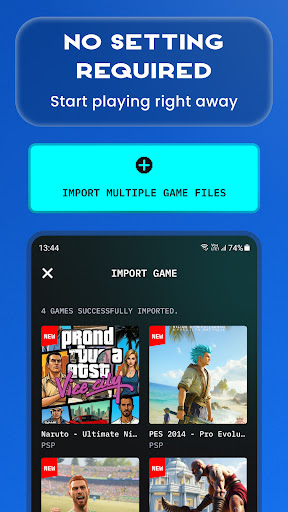
Turn your Android device into a powerful all-in-one emulator hub for PSP, PS1, PS2, NES, GB, GBA, DS, N64 and more.
Easily import your own game files, scan your device storage, and enjoy classic console gaming anytime, anywhere. The app is designed to make game importing simple, gameplay smooth, and mobile controls easy to use.
🎮 How to Play
- Prepare your own supported game files.
- Save your game files in your device storage, such as the Downloads folder.
- Open the emulator app and tap Import.
- Scan and load your games.
- Start playing on mobile.
🌟 Key Features
- All-in-one emulator for multiple classic game systems.
- Supports popular ROM formats, including ISO, CSO, PBP, ZIP, RAR and 7Z.
- Play compressed files without unzipping.
- Fast ROM scanning and easy game import.
- Auto save and restore game progress.
- Save and load game states instantly with multiple slots.
- Optimized touch controls for mobile gameplay.
- Multiple controller skins to personalize your experience.
- No BIOS file required.
Whether you love handheld classics, retro console games, or PlayStation-style gameplay, this emulator gives you one place to manage, import and play your own game collection.
Please note: This app does not include any games. Users must provide their own legally owned game files. We also provide a simple guide to help you import and manage your games inside the app.
Download now and enjoy classic console gaming on Android.
Privacy Policy: http://metaverselabs.ai/privacy-policy/
Terms of Use: http://metaverselabs.ai/terms-of-use/
Contact: support@metaverselabs.ai
We are continuously improving the emulator app to bring you a better gaming experience. Your feedback and suggestions are always welcome.
如何下载 Gamuroid: Retro Game Emulator APK
- 在 APK Downloader 首页 输入应用包名
ai.metaverselabs.psp.ps2.gameemulator。 - 选择您的设备架构(现代设备推荐选择 ARM64)。
- 点击 下载 获取合并后的 APK 文件。
- 传输并安装 APK 到您的 Android 设备上。
- 保持更新: 定期访问 APK Downloader 以搜索并下载您最喜爱的应用的最新安全版本。
安全与签名验证
此 APK 下载 100% 安全。我们验证文件的加密签名与官方开发者的凭据相匹配。无任何修改或广告注入。