
İndirme Kaynakları
Device Configuration
Split APK Kurulum Kılavuzu
Bazı uygulamalar, kaynakları optimize etmek için Split APK'ler (birlikte paketlenmiş birden fazla .apk dosyası) olarak dağıtılır. Standart Android yükleyicileri bunları açamaz.
İlişkili Uygulamalar



Yenilikler
- Add emotion tags to your text to make your voiceovers sound more natural and expressive.
- Added the ability to change the app language in the Settings page.
- Performance improvements have been made.
We are continuously working to provide you with a better experience. Please make sure to update to the latest version to enjoy the newest features.
Bu uygulama hakkında
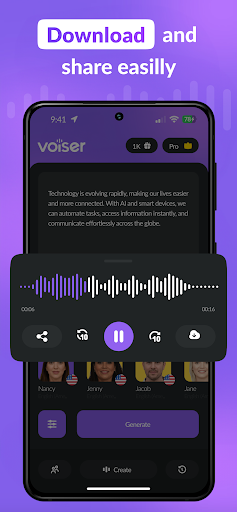
Voiser is the most powerful text to speech app for creating natural,
human-like AI voiceovers. With 550+ AI voices in 75+ languages, Voiser
helps content creators, professionals, and students convert any text into
studio-quality audio in seconds.
WHAT MAKES VOISER DIFFERENT
Unlike basic TTS apps, Voiser uses advanced AI speech synthesis to produce
voices that sound genuinely human. Customize pitch, speed, and emotional
tone to match your project — whether it's a YouTube video, podcast episode,
audiobook narration, or business presentation.
KEY FEATURES
🎙️ 550+ AI Voices
Choose from a vast library of male, female, and character voices across
75+ languages. Each voice is designed for natural pronunciation and clear
articulation in its native language.
📄 Convert Any Content
Import text directly, or let Voiser read your PDFs, EPUB files, and even
photos with built-in OCR. Turn any written content into spoken audio
effortlessly.
🎨 Full Voice Customization
Adjust pitch, speed, and tone. Use tagged voices for precise control over
how each section of your text is delivered. Save your favorite voice
configurations for instant reuse.
⭐ Favorites & Quick Access
Add your most-used voices to favorites for one-tap access. Build your
personal voice library for recurring projects.
🔊 High-Quality Audio Export
Export your voiceovers in MP3 format at studio quality. Perfect for
professional video production, e-learning content, or social media posts.
WHO USES VOISER
- Content creators producing voiceovers for YouTube, TikTok, and Reels
- Students converting study materials and textbooks to audio
- Business professionals creating narrated presentations
- Authors and publishers producing audiobook content
- Educators building accessible learning materials
- Podcasters generating intro segments and ad reads
Voiser is trusted by over 1 million users worldwide. Download now and
experience the difference between ordinary text to speech and truly
natural AI voice generation.
Privacy Policy: https://voiser.ai/privacy-policy
Terms of Use: https://voiser.ai/terms-of-use
AI Voice: Text to Speech TTS APK Nasıl İndirilir
- Paket adını
com.voiser.texttospeechAPK Downloader ana sayfasında girin. - Cihazınızın mimarisini seçin (modern cihazlar için ARM64 önerilir).
- Birleştirilmiş APK dosyasını almak için İndir'e tıklayın.
- APK'yı Android cihazınıza aktarın ve yükleyin.
- Güncel Kalın: En sevdiğiniz uygulamaların en son güvenli sürümlerini aramak ve indirmek için düzenli olarak APK Downloader'ı ziyaret edin.
Güvenlik ve İmza Doğrulaması
Bu APK indirmesi %100 güvenlidir. Dosyanın kriptografik imzasının resmi geliştirici sertifikasıyla eşleştiğini doğrularız. Herhangi bir değişiklik veya reklam barındırmaz.