
İndirme Kaynakları
Device Configuration
Split APK Kurulum Kılavuzu
Bazı uygulamalar, kaynakları optimize etmek için Split APK'ler (birlikte paketlenmiş birden fazla .apk dosyası) olarak dağıtılır. Standart Android yükleyicileri bunları açamaz.
İlişkili Uygulamalar


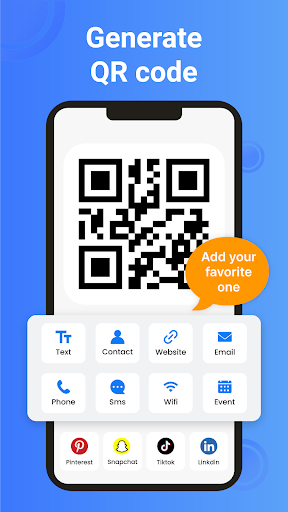

Bu uygulama hakkında
Create, scan, and manage QR codes and barcodes in one easy-to-use app. QR Code Generator & Scanner helps individuals, students, professionals, and businesses quickly generate custom QR codes, scan QR codes and barcodes, and access information instantly. Whether you need to share a website, connect to WiFi, save contact details, or scan product barcodes, the app provides a fast and convenient solution.
From creating QR codes for personal use to scanning codes on products, posters, business cards, menus, and digital screens, the app makes it simple to store, share, and access information. Generate QR codes for URLs, text, phone numbers, email addresses, locations, WiFi credentials, and more in just a few taps.
Simply choose the type of QR code you want to create, enter your information, customize the design if needed, and save or share your code instantly. When scanning, the app automatically detects QR codes and barcodes, helping you access content quickly and accurately.
📱 QR Codes for Everyday Needs
Create and scan QR codes for a wide range of personal and professional uses:
• Websites & Links: Generate QR codes for websites, landing pages, portfolios, and online content
• WiFi Sharing: Create WiFi QR codes that allow others to connect without manually entering passwords
• Contact Information: Share phone numbers, email addresses, business cards, and contact details instantly
• Text & Notes: Store messages, instructions, notes, and important information in QR codes
• Business & Marketing: Use QR codes for promotions, menus, product information, events, and customer engagement
⚡ Fast and Accurate QR & Barcode Scanning
Scan QR codes and barcodes quickly using your device camera. The app automatically detects codes and retrieves the stored information, helping you open websites, view product details, connect to networks, and access digital content without delays.
✨ Create Custom QR Codes
Generate professional-looking QR codes that match your needs:
• Create QR codes for multiple content types
• Customize QR code colors and appearance
• Add logos for branding and recognition
• Save generated QR codes to your device
• Share QR codes directly with others
📦 Barcode Scanner for Daily Use
Scan product barcodes for inventory management, retail operations, business workflows, and everyday information lookup. Barcode scanning helps simplify data collection and improve efficiency when managing products and records.
🔒 Designed for Privacy and Convenience
• Camera permission only for scanning
• Scan history for easy access to previous results
• Scan QR codes and barcodes from gallery images
• Built-in flashlight for low-light environments
• Auto zoom support for distant or small codes
How It Works
1. Open the app and choose Generate or Scan.
2. Create a QR code by entering your information or scan an existing QR code or barcode.
3. Save, manage, or share your results instantly.
4. Access your scan history whenever you need previous records.
Whether you're sharing contact details, connecting to WiFi, promoting a business, scanning product information, or accessing online content, QR Code Generator & Scanner helps you create and scan codes quickly and efficiently from a single app.
QR Code Generator : QR Scanner APK Nasıl İndirilir
- Paket adını
com.crecode.qrcodegeneratorAPK Downloader ana sayfasında girin. - Cihazınızın mimarisini seçin (modern cihazlar için ARM64 önerilir).
- Birleştirilmiş APK dosyasını almak için İndir'e tıklayın.
- APK'yı Android cihazınıza aktarın ve yükleyin.
- Güncel Kalın: En sevdiğiniz uygulamaların en son güvenli sürümlerini aramak ve indirmek için düzenli olarak APK Downloader'ı ziyaret edin.
Güvenlik ve İmza Doğrulaması
Bu APK indirmesi %100 güvenlidir. Dosyanın kriptografik imzasının resmi geliştirici sertifikasıyla eşleştiğini doğrularız. Herhangi bir değişiklik veya reklam barındırmaz.