
Источники загрузки
Device Configuration
Руководство по установке Split APK
Некоторые приложения распространяются в виде Split APK (несколько упакованных вместе файлов .apk) для оптимизации ресурсов. Стандартные установщики Android не могут их открыть.
Похожие Приложения


Что нового
A teeny tiny release to smooth out a few bumps with our notification pop-up and rich text editor.
О приложении
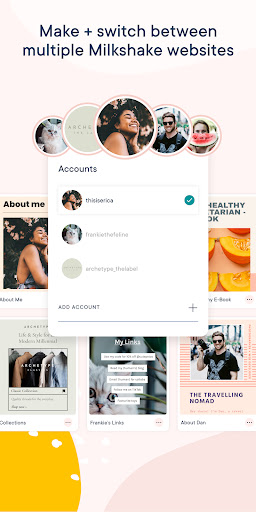
Build a website on your phone in minutes with the fun, fast, easy and free Milkshake website builder.
Milkshake websites are super easy to make and update anytime. No desktops, design or website building skills needed. All you need is your phone or tablet and the Milkshake app.
Turn your 'link in bio' into a beautiful Milkshake website to say more, sell more and share more from all social media bios, including: Instagram, TikTok and Snapchat. After all, YOLO - You Only Link Once!
The Milkshake website maker app is way easier than a drag and drop website creator. Create a Milkshake website all on your smartphone in four easy steps!
#1 Pick a Card
Cards are the pages of your Milkshake website. Visitors can swipe between each card like an Instagram Story. Each type of card has unique features for all the content you want to share or sell online.
#2 Add your content
Personalize each card with your text, images, GIFs, YouTube videos, blog posts, podcast episodes, contact details, promotions, links and more!
#3 Shake up your look
‘Shake it up’ to choose the best look for your card. Customize looks with brand colors, fonts, logos, banner images or display pictures. All look designs are beautiful, professional and mobile responsive.
#4 Publish and share
Once you’ve made your Milkshake website, publish it online for FREE. Then add your ‘link in bio’ to all social profiles, including: Instagram, TikTok and Snapchat. Plus anywhere else you want to connect your followers to your shiny new Milkshake website - easy!
Whether you're a beginner or a website pro, you can have your Milkshake website online in minutes! Create your online brand and grow your business on the go with the Milkshake website builder app.
Love stats?
Keep an eye on the performance of your Milkshake website with Insights. Track the analytics of card views, link clicks, traffic sources, top countries and new vs returning visitors in real-time to optimize your Milkshake website - for free!
You can use a Milkshake website to…
- Introduce yourself and what makes you amazing
- Share your services, products, passion projects, promotions, testimonials & social profiles
- Keep followers up to date on your latest blog posts, podcast episodes, ebooks & resources
- Promote your YouTube videos and channel to turn your followers into subscribers
- Recommend your top picks, fave buys, must-dos & must-haves
- Highlight your latest and greatest work
- Launch your new business venture
- Receive new bookings and clients
+ more coming your way!
With a subscription you can…
- Connect your custom domain to your Milkshake site
- Add a Contact Form to your site to let your followers get in touch
- Add a mailing list to your website to collect emails
- Integrate your mailing list with Google Sheets or Mailchimp
- Temporarily hide a Card from your website while you perfect your drafts
- Unlock a year's worth of Insights data
- Boost the visibility of your website to search engines with SEO Tools
- Customize your website preview for social sharing
- Create and track marketing campaigns with our campaign builder
- Add a Meta pixel and run ad campaigns
- Remove the Milkshake branding from your website
You can share a Milkshake website on...
- All your favorite social networks, including: Instagram, TikTok, Snapchat, Facebook, YouTube, Pinterest, Twitter, LinkedIn, Twitch, Tumblr, WhatsApp, Threads, Discord, Linktree and WeChat
- Business Cards, Email Signatures, Brochures, Posters, Online Profiles and Listings
- Portfolio Sites, Resumes and Media Kits
+ anywhere your followers and customers want to learn more about you!
Time to show the world what you’re made of.
Install the Free Android Milkshake App to get started!
Как скачать APK Milkshake — Website Builder
- Введите имя пакета
milkshake.website.builderна главной странице APK Downloader. - Выберите архитектуру вашего устройства (для современных устройств рекомендуется ARM64).
- Нажмите Скачать, чтобы получить объединенный файл APK.
- Перенесите и установите APK на свое устройство Android.
- Следите за обновлениями: Регулярно посещайте APK Downloader, чтобы искать и скачивать последние безопасные версии ваших любимых приложений.
Безопасность и проверка подписи
Эта загрузка APK на 100% безопасна. Мы проверяем соответствие цифровой подписи файла официальным ключам разработчика. Изменения и реклама отсутствуют.