
Источники загрузки
Device Configuration
Руководство по установке Split APK
Некоторые приложения распространяются в виде Split APK (несколько упакованных вместе файлов .apk) для оптимизации ресурсов. Стандартные установщики Android не могут их открыть.
Похожие Приложения




Что нового
Added Boost Heat Mode for supported outdoor units
О приложении
Ruud for Contractors offers the industry’s most powerful, intuitive, and easy-to-use app.
Whether you’re on a residential service call or installing 40 units at a major site, the free Ruud Contractor app’s Bluetooth® capability – paired with an enabled HVAC system -- makes set-up and troubleshooting simpler than ever.
With Ruud for Contractors and eligible air systems, you can easily:
Install
- Set up systems quickly and easily with the new Bluetooth® setup
- Monitor operating parameters from your phone while charging outdoor units
- Verify system setup with access to system operating status
- Quickly check for alarms
Service
- Diagnose active alarms and alarm history
- Check system operating status
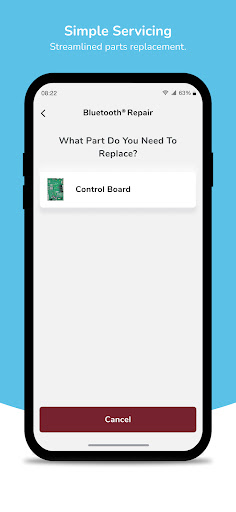
- Easy step-by-step parts replacement and system setup
The Ruud for Contractors app also offers powerful support for all of our air and water products, with a new Product Technical Support design that is easier to use and more accurate than ever:
- Access installation instructions
- Search parts lists
- Download manuals
- View tech sheets
- Research consumer literature
Track Warranty information
- Scan and confirm model and ownership details
- Check warranty status and share HVAC systems warranty certificate
Locate
- Look up retailers
- Look up distributors
Research
- Find up-to-date rebate information
- Research financing options
- Offer extended warranty
- Confirm AHRI information and certification for HVAC systems
Как скачать APK Ruud
- Введите имя пакета
com.ruud.contractorна главной странице APK Downloader. - Выберите архитектуру вашего устройства (для современных устройств рекомендуется ARM64).
- Нажмите Скачать, чтобы получить объединенный файл APK.
- Перенесите и установите APK на свое устройство Android.
- Следите за обновлениями: Регулярно посещайте APK Downloader, чтобы искать и скачивать последние безопасные версии ваших любимых приложений.
Безопасность и проверка подписи
Эта загрузка APK на 100% безопасна. Мы проверяем соответствие цифровой подписи файла официальным ключам разработчика. Изменения и реклама отсутствуют.