
Источники загрузки
Device Configuration
Руководство по установке Split APK
Некоторые приложения распространяются в виде Split APK (несколько упакованных вместе файлов .apk) для оптимизации ресурсов. Стандартные установщики Android не могут их открыть.
Похожие Приложения




Что нового
FIx Bugs & Optimize
О приложении
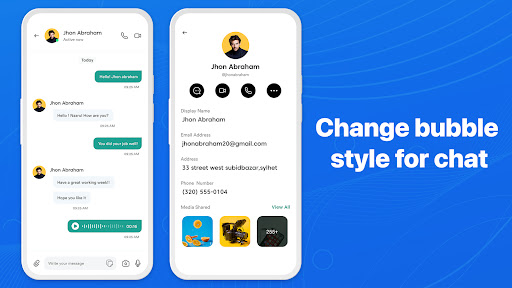
Messages provides an easy and efficient way to communicate, integrating many advanced features to improve the user's messaging experience. Key Features Message OS:
**Conversation List**:
- Displays all of the user's conversations, arranged in chronological order with the most recent conversation at the top.
- Each conversation displays a profile picture, contact or group name, and a portion of the most recent message content.
**Search**:
- The search bar at the top makes it easy for users to search for messages, contacts, or specific content within conversations.
**Compose New Message Button**:
- The pen and paper icon in the upper right corner allows users to start a new conversation.
Conversation Interface:
**Type and Send Message**:
- The input bar at the bottom allows users to enter text and send messages by pressing the send button.
- Emoij icon allows users to insert emoij so that users can send emoticons to friends
- Clock icon allows users to schedule, set time to send messages
- Friends icon allows users to select contacts to share a contact with friends
**Pin conversation**:
- Pin important conversations to the top of the list for easy access
**Notifications and Mute**:
- Users can enable or disable notifications for each specific conversation to avoid being disturbed.
The Messages Phone 15 application is not only a normal communication tool but also integrates many advanced features, helping users enjoy a rich and secure messaging experience.
Как скачать APK Messages Phone: simple message
- Введите имя пакета
com.messages.sms.chat.messengerна главной странице APK Downloader. - Выберите архитектуру вашего устройства (для современных устройств рекомендуется ARM64).
- Нажмите Скачать, чтобы получить объединенный файл APK.
- Перенесите и установите APK на свое устройство Android.
- Следите за обновлениями: Регулярно посещайте APK Downloader, чтобы искать и скачивать последние безопасные версии ваших любимых приложений.
Безопасность и проверка подписи
Эта загрузка APK на 100% безопасна. Мы проверяем соответствие цифровой подписи файла официальным ключам разработчика. Изменения и реклама отсутствуют.