
Источники загрузки
Device Configuration
Руководство по установке Split APK
Некоторые приложения распространяются в виде Split APK (несколько упакованных вместе файлов .apk) для оптимизации ресурсов. Стандартные установщики Android не могут их открыть.
Похожие Приложения



Что нового
We’ve made improvements to the overall experience and performance of the app. This update includes general enhancements and bug fixes to help everything run more smoothly.
О приложении
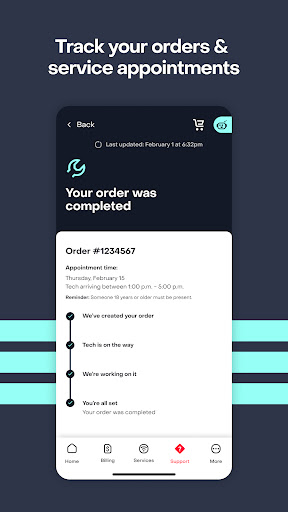
Get more control of your Frontier services and access discounts and offers from your favorite brands, personalized deals, and free goodies in the MyFrontier app. Change your service appointments to fit your schedule, make payments and account changes when it's convenient for you. Stay updated on our progress with order tracking, real-time installation updates and direct messaging with your service technician. Upgrade your plan with higher speeds and add-ons in your account anytime–no phone calls needed. Troubleshoot issues faster and get support when you need it with our virtual assistant and Help Center at your fingertips.
The app is a must-have for customers of:
- Frontier High-Speed Internet (Fiber Broadband, DSL, or Satellite)
- Frontier TV Services
- Frontier Voice Services
Do more with your account from your smartphone or tablet with these easy-to-use tools and features.
Services:
- Get personalized rewards, discounts and offers - Manage your Frontier services
- Upgrade your plan with add-ons and higher speeds
Billing and Payments:
- Make a one-time payment
- Set up Auto Pay
- Sign up for Paperless Billing
- View billing and payment history
- Compare current and past statements
Troubleshooting:
- Check for outages
- Track your orders and trouble tickets
- Reboot your gateway or TV Set-top box
- Get 24/7 help with our virtual assistant
Account Settings:
- Easily reset your password
- Control your notifications preferences
- Add contact information
Stay tuned for updates as we’re continuing to enhance the MyFrontier app to make it your essential Frontier self-service tool.
Как скачать APK MyFrontier
- Введите имя пакета
com.frontier.selfserveна главной странице APK Downloader. - Выберите архитектуру вашего устройства (для современных устройств рекомендуется ARM64).
- Нажмите Скачать, чтобы получить объединенный файл APK.
- Перенесите и установите APK на свое устройство Android.
- Следите за обновлениями: Регулярно посещайте APK Downloader, чтобы искать и скачивать последние безопасные версии ваших любимых приложений.
Безопасность и проверка подписи
Эта загрузка APK на 100% безопасна. Мы проверяем соответствие цифровой подписи файла официальным ключам разработчика. Изменения и реклама отсутствуют.