
Источники загрузки
Device Configuration
Руководство по установке Split APK
Некоторые приложения распространяются в виде Split APK (несколько упакованных вместе файлов .apk) для оптимизации ресурсов. Стандартные установщики Android не могут их открыть.
Похожие Приложения




Что нового
Contains software 2.4p3
О приложении
With the ABL Configuration App, electricians can quickly and easily install and configure the ABL Wallbox eM4.
Easy Installation
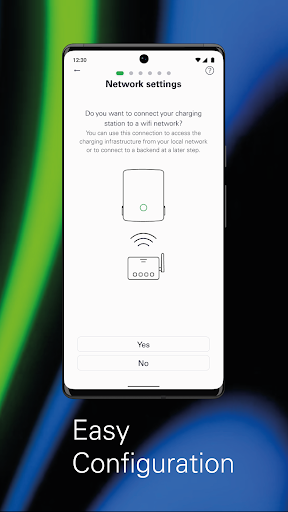
With the ABL Configuration App, electricians can install and configure Wallbox eM4 in just a few steps, either as a Standalone variant or part of a group installation of Wallbox eM4 Controller and Extender variants. The app allows the configuration of different network topologies with WLAN, Ethernet or LTE, depending on the specific requirements at the installation site.
Technical Configuration
With this app, technical configurations can be performed according to all electrical specifications. This includes setting the correct output power and charging settings to guarantee the smooth operation of the charging station.
Load Management
ABL Configuration also includes functions for static and dynamic load management, which can be used to optimize the power utilization of the charging infrastructure. Static load management can be used to set the maximum power output for the charging station, ensuring that the available power supply is not exceeded. With dynamic load management, on the other hand, the charging station can automatically adjust the power output to the power consumption in the building to optimize the use of the available power. This ensures that even larger charging infrastructures charge vehicles efficiently without causing disruptions to the power grid.
Establishing Connection to a Charging Backend
With the ABL Configuration App, electricians can connect to a charging backend that allows users to access additional features such as billing, remote management and more. This allows the Wallbox eM4 to integrate with other systems and services, ensuring a seamless and integrated charging experience.
Charging Management
The app allows electricians to start, stop and monitor charging processes and view the status of the charging infrastructure. In addition, RFID users can be managed for authentication, ensuring that only authorized users have access to the charging station. The app can also be used to permanently lock the charging cable in the charger.
Diagnosis
ABL Configuration includes fault diagnosis tools that allow electricians to quickly identify and fix any problems that occur at the charging station. This maintains the smooth operation of the charging stations and reduces downtime to a minimum.
OTA Software Updates
OTA software updates to the app ensure that charging stations are always up to date with the latest features and improvements.
Как скачать APK ABL Configuration
- Введите имя пакета
com.abl_config_appна главной странице APK Downloader. - Выберите архитектуру вашего устройства (для современных устройств рекомендуется ARM64).
- Нажмите Скачать, чтобы получить объединенный файл APK.
- Перенесите и установите APK на свое устройство Android.
- Следите за обновлениями: Регулярно посещайте APK Downloader, чтобы искать и скачивать последние безопасные версии ваших любимых приложений.
Безопасность и проверка подписи
Эта загрузка APK на 100% безопасна. Мы проверяем соответствие цифровой подписи файла официальным ключам разработчика. Изменения и реклама отсутствуют.