
Источники загрузки
Device Configuration
Руководство по установке Split APK
Некоторые приложения распространяются в виде Split APK (несколько упакованных вместе файлов .apk) для оптимизации ресурсов. Стандартные установщики Android не могут их открыть.
Похожие Приложения




Что нового
Performance improvements,
Billing library update.
О приложении
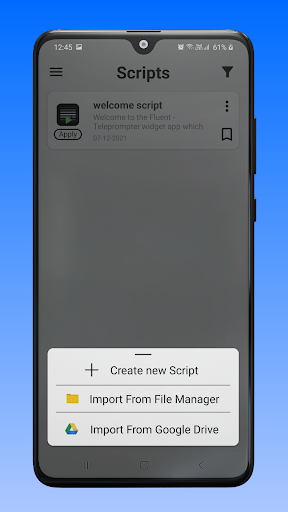
Fluent - Teleprompter widget help to read recently prepared text on your phone screen right during the recording video with any camera application.
We have developed a unique widget that works on all applications like Zoom, Team, Google Meet, Instagram live, Facebook live,YouTube live, etc.
Which provides a simple and convenient functionality, will help you perform at the very best during a live broadcast.
With Fluent Teleprompter widget you can:
- Change the size and position of the widget on the screen.
- Configure the script text size, colour and speed of its movement.
- You can change the size and position of the widget on the screen;
- At any time, play and pause the script scrolling and put it to the any position on then screen.
- Change the colour of the widget and adjust the opacity of its background.
- You can take backup your all scripts on your device and also Import script from Device and Google Drive.
How to use.
- Create script or import script.
- Change your desired settings on script like Text size, Background colour, Opacity, Text colour, Font style, Text scrolling speed and Text alignment.
- Press apply button for widget on script.
Как скачать APK Fluent Teleprompter widget
- Введите имя пакета
com.FluentAppна главной странице APK Downloader. - Выберите архитектуру вашего устройства (для современных устройств рекомендуется ARM64).
- Нажмите Скачать, чтобы получить объединенный файл APK.
- Перенесите и установите APK на свое устройство Android.
- Следите за обновлениями: Регулярно посещайте APK Downloader, чтобы искать и скачивать последние безопасные версии ваших любимых приложений.
Безопасность и проверка подписи
Эта загрузка APK на 100% безопасна. Мы проверяем соответствие цифровой подписи файла официальным ключам разработчика. Изменения и реклама отсутствуют.