
Источники загрузки
Device Configuration
Руководство по установке Split APK
Некоторые приложения распространяются в виде Split APK (несколько упакованных вместе файлов .apk) для оптимизации ресурсов. Стандартные установщики Android не могут их открыть.
Похожие Приложения



Что нового
Bug fixes and improvements
О приложении
Antivirus for Android is a multi-function and convenient app that will help you protect and clean your device! Antivirus for Android – reliable protection of your device against viruses, ensuring the security of your device's and personal data.
Main features:
● Antivirus - virus removal and security improvements.
Device protection against hacker attacks. The antivirus will scan, detect and delete viruses on your device. Device protection against all potential threats: viruses, trojans, malware, spyware, and adware.
● Cleaning and device configuration by deleting needless background tasks. Disable startup apps to decrease memory usage.
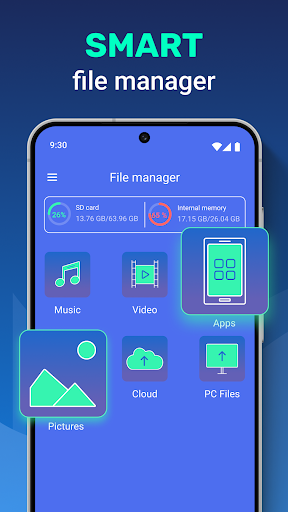
● File manager - useful instrument for file management on your device. Wireless connection to any other device.
● VPN - VPN protects your privacy on the internet and hides your IP address. With our built-in VPN, you can access geo-restricted content and protect your online privacy by encrypting your internet traffic.
● Apps protection helps you protect your apps, personal data, and conversations from other people.
In our app, you can use the AccessibilityService API to clean and configure your device conveniently and to protect your apps and data stored on the device from access by third parties. To do so, you will need to carefully read the terms and confirm the use of this API in our app. With use of the AccessibilityService API our app does not collect, process, store or send data about the device or its owner to third parties.
Как скачать APK Antivirus - Cleaner + VPN
- Введите имя пакета
cleaner.antivirusна главной странице APK Downloader. - Выберите архитектуру вашего устройства (для современных устройств рекомендуется ARM64).
- Нажмите Скачать, чтобы получить объединенный файл APK.
- Перенесите и установите APK на свое устройство Android.
- Следите за обновлениями: Регулярно посещайте APK Downloader, чтобы искать и скачивать последние безопасные версии ваших любимых приложений.
Безопасность и проверка подписи
Эта загрузка APK на 100% безопасна. Мы проверяем соответствие цифровой подписи файла официальным ключам разработчика. Изменения и реклама отсутствуют.