
Источники загрузки
Device Configuration
Руководство по установке Split APK
Некоторые приложения распространяются в виде Split APK (несколько упакованных вместе файлов .apk) для оптимизации ресурсов. Стандартные установщики Android не могут их открыть.
Похожие Приложения


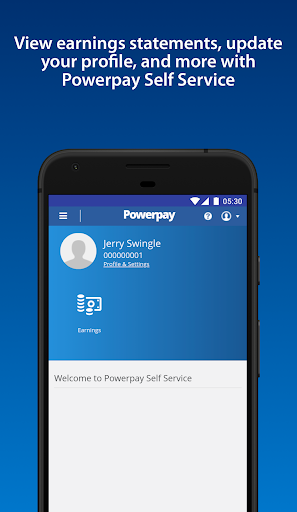


О приложении
Need access to your work life from anywhere at any time? Powerpay Employee Self Service puts you in the driver’s seat with an engaging, intuitive mobile experience to access your most current pay details and personal information with the touch of your hand.
As an employee, being able to access your personal and pay information efficiently is critical to ensuring you get paid accurately and on-time. From checking your earnings, to downloading year-end tax forms and viewing your personal information. See how Powerpay’s Self Service mobile access can improve work life by providing secure, on-the-go access to your information so you can access information and save time, all at your convenience.
Powerpay makes pay day easier by helping small business stay in compliance with Canadian federal and provincial regulations while helping to ensure employees are paid accurately, on time, and from anywhere. Powerpay is trusted by over 47,000 Canadian small business owners. Please note: Powerpay Employee Self Service mobile access is only available to Powerpay customers. If you are an employee of a Powerpay customer, please check with your employer before downloading the app to see if they have activated the mobile option.
Как скачать APK Powerpay Self Service
- Введите имя пакета
ca.powerpay.selfserviceна главной странице APK Downloader. - Выберите архитектуру вашего устройства (для современных устройств рекомендуется ARM64).
- Нажмите Скачать, чтобы получить объединенный файл APK.
- Перенесите и установите APK на свое устройство Android.
- Следите за обновлениями: Регулярно посещайте APK Downloader, чтобы искать и скачивать последние безопасные версии ваших любимых приложений.
Безопасность и проверка подписи
Эта загрузка APK на 100% безопасна. Мы проверяем соответствие цифровой подписи файла официальным ключам разработчика. Изменения и реклама отсутствуют.