
Fontes de download
Device Configuration
Guia de Instalação de Split APKs
Alguns aplicativos são distribuídos como Split APKs (vários arquivos .apk empacotados juntos) para otimizar os recursos. Os instaladores padrão do Android não podem abri-los.
Aplicativos Relacionados




Novidades
- Create consistent notes faster with Workspace Templates
- UI and overall experience improvements
Sobre este aplicativo
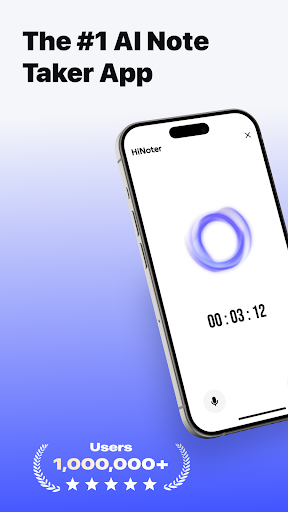
HiNoter helps you capture every idea — automatically recording, transcribing, and summarizing meetings, lectures, and interviews so you can stay focused on what truly matters.
With one tap, HiNoter records crystal-clear audio, generates accurate transcripts with speaker labels, and creates concise summaries and AI-powered mind maps. Ask questions like “What were the main takeaways from today’s team meeting?” and get instant, intelligent answers.
Why HiNoter?
●Stay focused — Be present in the moment while HiNoter takes perfect notes for you.
●Save hours — Get AI-generated summaries and mind maps that help you see the big picture instantly.
●Search smarter — Type a keyword to jump straight to that moment in your audio.
●Collaborate easily — Share recordings and notes with your team whenever you want.
●Your data, your control — HiNoter protects your recordings with enterprise-grade security, and sharing is always your choice.
Who Uses HiNoter?
●Professionals: Capture meetings, action items, and client discussions.
●Students: Record and review lectures and study sessions.
●Researchers & Journalists: Transcribe and organize interviews.
●Everyone: From brainstorming to voice memos, HiNoter handles it all.
Key Features
●One-tap recording and AI transcription
●HiNoter automatically joins your calendar meetings to record and summarize
●Upload audio files or YouTube links for instant transcription
●Speaker identification with high accuracy
●AI-generated summaries and mind maps
●Ask AI anything about your recordings
●All your recordings and notes are securely encrypted
Subscription Plans:
Description:
This is a continuous subscription service (Weekly / Yearly). During the subscription period, users can access all features of the app without limitation.
Payment:
Once the purchase is confirmed, the corresponding fee will be charged from the user's iTunes account.
Auto-Renewal:
24 hours before the current subscription period ends, Apple will automatically charge the corresponding fee from your iTunes account to renew the plan (weekly or yearly). Once the renewal is successful, your membership will be extended for the next billing cycle.
Cancellation:
To avoid being charged for the next cycle, please cancel your subscription at least 24 hours before the current period expires. After cancellation, no further charges will be made.
Terms of Service: https://recorder.nieruo.com/agreement/terms-of-service.html
Privacy Policy: https://recorder.nieruo.com/agreement/privacy-policy.html
Como baixar o APK do HiNoter - AI Note Taker
- Insira o nome do pacote
com.recordpro.audiorecordna página inicial do APK Downloader. - Selecione a arquitetura do seu dispositivo (ARM64 recomendado para dispositivos modernos).
- Clique em Baixar para obter o arquivo APK mesclado.
- Transfira e instale o APK no seu dispositivo Android.
- Mantenha-se atualizado: Visite o APK Downloader regularmente para pesquisar e baixar as versões seguras mais recentes de seus aplicativos favoritos.
Segurança e Verificação de Assinatura
Este download de APK é 100% seguro. Verificamos se a assinatura criptográfica do arquivo corresponde às credenciais oficiais do desenvolvedor. Sem modificações ou adware injetados.