
Fontes de download
Device Configuration
Guia de Instalação de Split APKs
Alguns aplicativos são distribuídos como Split APKs (vários arquivos .apk empacotados juntos) para otimizar os recursos. Os instaladores padrão do Android não podem abri-los.
Aplicativos Relacionados






Novidades
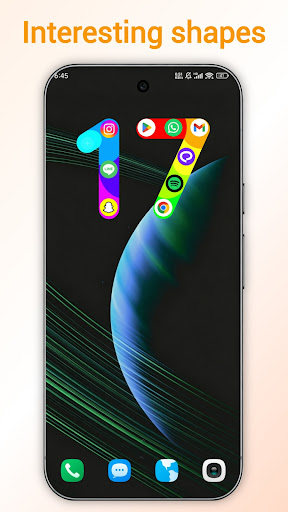
1. Added a number 17 style to the third screen widget
2. Added a distracting app feature
3. Optimized the original default color themes, and added several new color themes
4. Fixed the issue where users couldn't find the default themes in the theme store
5. Optimized the home screen widget color
6. Optimized the guide page themes
Sobre este aplicativo
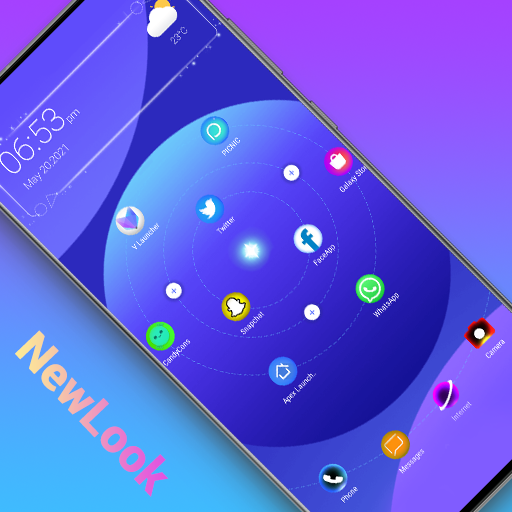
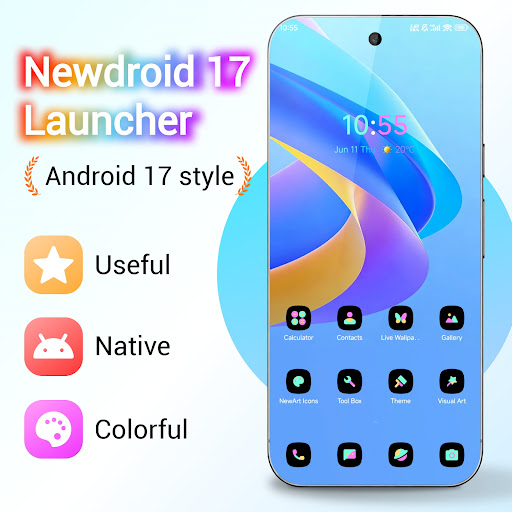
NewDroid 17 Launcher is made for you to experience Android™ 17 Launcher features. NewDroid 17 Launcher make your phone's homescreen/desktop more powerful & colorful, bring you the new Android 17 style. NewDroid 17 Launcher migrate Android 17 Launcher features to all Android 6.0+ devices.
Just enjoy to use NewDroid 17 Launcher!
🌟🌟🌟🌟🌟NewDroid 17 Launcher Main Features:
+ NewDroid 17 Launcher has many Android 17 Launcher features, they are available to all Android 6.0+ devices
+ Icons are adapted to wallpaper
+ Multiple wallpaper color schemes for colorful icons
+ Massive beautiful wallpapers and themes
+ Hide apps you don't need
+ Gesture operations
+ Vertical/Horizontal drawer style
+ NewDroid 17 Launcher has many cool animations and effects
+ NewDroid 17 Launcher has many lively 3D parallax live wallpapers
+ NewDroid 17 Launcher has many options to change grid size, icon size, text color, etc.
+ Multiple photo frame widgets
+ Multiple desktop transition effects, such as cube, cylinder, wave, cross, etc
+ Multiple finger effects which will show when you touch desktop screen
+ Multiple screen edge effect, such as neon, marquee, etc
+ Multiple live effects which you can add to screen, such as bubble, wave, love shape, leave, rock music, etc
+ You can lock desktop layout
+ Notifier feature in NewDroid 17 Launcher can make you don't miss important notifications
+ Support icon group pattern which you can add to screen, there are pattern with emoji.
+ NewDroid 17 Launcher provide useful tools to help you manage phone
+ NewDroid 17 Launcher support third-party icon packs
+ NewDroid 17 Launcher has Kids Mode
+ In NewDroid 17 Launcher, you can DIY wallpaper
Statement:
- Android™ is a registered trademark of Google, Inc.
- NewDroid Launcher is NOT official Android 17 Launcher product, it is made for you to experience Android™ 17 Launcher features for all Android 6.0+ devices owner
❤️❤️❤️❤️❤️ Hope you will love NewDroid 17 Launcher, which provide you Android 17 Launcher experience. Your comments are welcome! Thanks a lot!
Como baixar o APK do NewDroid 17 Launcher
- Insira o nome do pacote
com.newdroid.launcherna página inicial do APK Downloader. - Selecione a arquitetura do seu dispositivo (ARM64 recomendado para dispositivos modernos).
- Clique em Baixar para obter o arquivo APK mesclado.
- Transfira e instale o APK no seu dispositivo Android.
- Mantenha-se atualizado: Visite o APK Downloader regularmente para pesquisar e baixar as versões seguras mais recentes de seus aplicativos favoritos.
Segurança e Verificação de Assinatura
Este download de APK é 100% seguro. Verificamos se a assinatura criptográfica do arquivo corresponde às credenciais oficiais do desenvolvedor. Sem modificações ou adware injetados.