
Fontes de download
Device Configuration
Guia de Instalação de Split APKs
Alguns aplicativos são distribuídos como Split APKs (vários arquivos .apk empacotados juntos) para otimizar os recursos. Os instaladores padrão do Android não podem abri-los.
Aplicativos Relacionados




Novidades
Contains software 2.4p3
Sobre este aplicativo
With the ABL Configuration App, electricians can quickly and easily install and configure the ABL Wallbox eM4.
Easy Installation
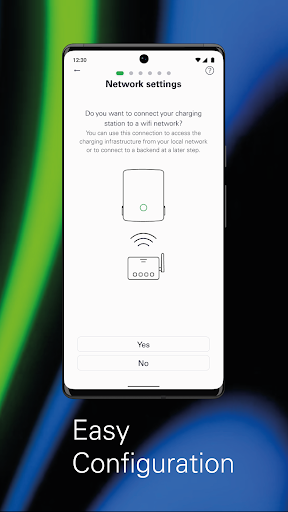
With the ABL Configuration App, electricians can install and configure Wallbox eM4 in just a few steps, either as a Standalone variant or part of a group installation of Wallbox eM4 Controller and Extender variants. The app allows the configuration of different network topologies with WLAN, Ethernet or LTE, depending on the specific requirements at the installation site.
Technical Configuration
With this app, technical configurations can be performed according to all electrical specifications. This includes setting the correct output power and charging settings to guarantee the smooth operation of the charging station.
Load Management
ABL Configuration also includes functions for static and dynamic load management, which can be used to optimize the power utilization of the charging infrastructure. Static load management can be used to set the maximum power output for the charging station, ensuring that the available power supply is not exceeded. With dynamic load management, on the other hand, the charging station can automatically adjust the power output to the power consumption in the building to optimize the use of the available power. This ensures that even larger charging infrastructures charge vehicles efficiently without causing disruptions to the power grid.
Establishing Connection to a Charging Backend
With the ABL Configuration App, electricians can connect to a charging backend that allows users to access additional features such as billing, remote management and more. This allows the Wallbox eM4 to integrate with other systems and services, ensuring a seamless and integrated charging experience.
Charging Management
The app allows electricians to start, stop and monitor charging processes and view the status of the charging infrastructure. In addition, RFID users can be managed for authentication, ensuring that only authorized users have access to the charging station. The app can also be used to permanently lock the charging cable in the charger.
Diagnosis
ABL Configuration includes fault diagnosis tools that allow electricians to quickly identify and fix any problems that occur at the charging station. This maintains the smooth operation of the charging stations and reduces downtime to a minimum.
OTA Software Updates
OTA software updates to the app ensure that charging stations are always up to date with the latest features and improvements.
Como baixar o APK do ABL Configuration
- Insira o nome do pacote
com.abl_config_appna página inicial do APK Downloader. - Selecione a arquitetura do seu dispositivo (ARM64 recomendado para dispositivos modernos).
- Clique em Baixar para obter o arquivo APK mesclado.
- Transfira e instale o APK no seu dispositivo Android.
- Mantenha-se atualizado: Visite o APK Downloader regularmente para pesquisar e baixar as versões seguras mais recentes de seus aplicativos favoritos.
Segurança e Verificação de Assinatura
Este download de APK é 100% seguro. Verificamos se a assinatura criptográfica do arquivo corresponde às credenciais oficiais do desenvolvedor. Sem modificações ou adware injetados.