
डाउनलोड स्रोत
Device Configuration
स्प्लिट एपीके (Split APK) स्थापना गाइड
कुछ ऐप्स स्प्लिट एपीके (एक साथ पैक की गई कई .apk फाइलें) के रूप में वितरित किए जाते हैं। मानक एंड्रॉइड इंस्टॉलर उन्हें खोल नहीं सकते हैं।
सम्बन्धित ऐप्स




नया क्या है
Fixed some bugs and improved the stability.
इस ऐप के बारे में
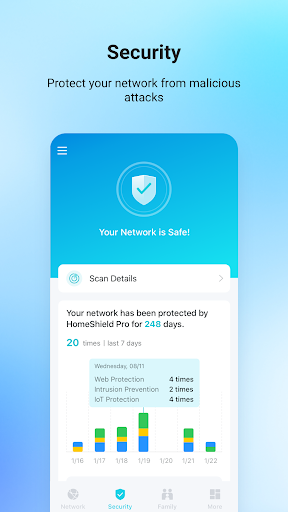
TP-Link Tether provides the easiest way to access and manage your TP-Link Router/ xDSL Router/ Range Extender with your mobile devices. From quick setup to parental controls, Tether provides a simple, intuitive user interface to see your device status, online client devices and their privileges.
- Setup SSID, password and Internet or VDSL/ADSL settings of your devices
- Block unauthorized users who are accessing your devices
- Manage permissions of client devices
- Parental control function with schedule and URL-based Internet access management
- Find the best location to place your range extender
- Automatically turn off the LEDs at specific time
- Manage most of TP-Link devices simultaneously
Compatible Routers
https://www.tp-link.com/tether/product-list/
*To learn how to find the hardware version of your device, go to http://www.tp-link.com/faq-46.html
More devices supported by Tether are coming soon!
Important Notes
● Upgrade firmware is required. Go to the download page to choose the correct version and download the latest firmware: http://www.tp-link.com/support.html
● TP-Link Tether does not work when connected to guest network
● For any issue, please contact http://www.tp-link.com/support.html
TP-Link Tether एपीके कैसे डाउनलोड करें
- APK Downloader होमपेज पर पैकेज नाम
com.tplink.tetherदर्ज करें। - अपने डिवाइस आर्किटेक्चर का चयन करें (आधुनिक उपकरणों के लिए ARM64 अनुशंसित है)।
- मर्ज की गई एपीके फ़ाइल प्राप्त करने के लिए डाउनलोड पर क्लिक करें।
- एपीके को अपने एंड्रॉइड डिवाइस पर ट्रांसफर और इंस्टॉल करें।
- अपडेट रहें: अपने पसंदीदा ऐप्स के नवीनतम सुरक्षित संस्करणों को खोजने और डाउनलोड करने के लिए नियमित रूप से APK Downloader पर जाएं।
सुरक्षा और हस्ताक्षर सत्यापन
यह APK डाउनलोड 100% सुरक्षित है। हम सत्यापित करते हैं कि फ़ाइल का क्रिप्टोग्राफ़िक हस्ताक्षर आधिकारिक डेवलपर क्रेडेंशियल से मेल खाता है। कोई संशोधन या एडवेयर नहीं हैं।