
डाउनलोड स्रोत
Device Configuration
स्प्लिट एपीके (Split APK) स्थापना गाइड
कुछ ऐप्स स्प्लिट एपीके (एक साथ पैक की गई कई .apk फाइलें) के रूप में वितरित किए जाते हैं। मानक एंड्रॉइड इंस्टॉलर उन्हें खोल नहीं सकते हैं।



नया क्या है
-Minor bugfixes
इस ऐप के बारे में
In order to be able to use this mobile application, your company needs to have an active Onoff Business account. If this is not the case, please visit https://onoffbusiness.com
If your enterprise has shared with you the access to your Onoff Business account, download the app now and you can instantly start making calls!
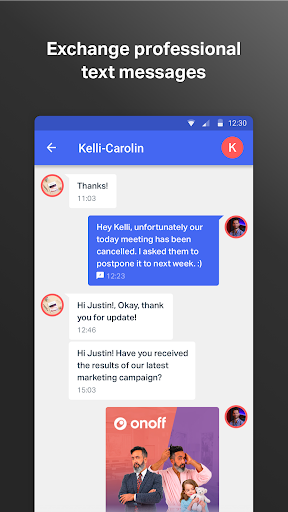
Onoff Business, the ARCEP-recognised French telecommunications operator, allows enterprises to provide professional mobile numbers to their employees through a simple and intuitive web platform. Employees then just need to download the Onoff Business application on their phones. The Onoff Business numbers support incoming & outgoing calls as well as SMS/MMS as a regular phone number but without needing to have another phone or a second SIM card. A visual voicemail is included. The application is accessible from any smartphone or tablet.
Need a second number for personal usage? You can download the original Onoff app.
Do not hesitate to share your feedback and comments at support@onoffbusiness.com
General conditions: https://www.onoffbusiness.com/en/terms-conditions/
Onoff Business एपीके कैसे डाउनलोड करें
- APK Downloader होमपेज पर पैकेज नाम
com.onoffapp.app.b2bदर्ज करें। - अपने डिवाइस आर्किटेक्चर का चयन करें (आधुनिक उपकरणों के लिए ARM64 अनुशंसित है)।
- मर्ज की गई एपीके फ़ाइल प्राप्त करने के लिए डाउनलोड पर क्लिक करें।
- एपीके को अपने एंड्रॉइड डिवाइस पर ट्रांसफर और इंस्टॉल करें।
- अपडेट रहें: अपने पसंदीदा ऐप्स के नवीनतम सुरक्षित संस्करणों को खोजने और डाउनलोड करने के लिए नियमित रूप से APK Downloader पर जाएं।
सुरक्षा और हस्ताक्षर सत्यापन
यह APK डाउनलोड 100% सुरक्षित है। हम सत्यापित करते हैं कि फ़ाइल का क्रिप्टोग्राफ़िक हस्ताक्षर आधिकारिक डेवलपर क्रेडेंशियल से मेल खाता है। कोई संशोधन या एडवेयर नहीं हैं।