
डाउनलोड स्रोत
स्प्लिट एपीके (Split APK) स्थापना गाइड
कुछ ऐप्स स्प्लिट एपीके (एक साथ पैक की गई कई .apk फाइलें) के रूप में वितरित किए जाते हैं। मानक एंड्रॉइड इंस्टॉलर उन्हें खोल नहीं सकते हैं।


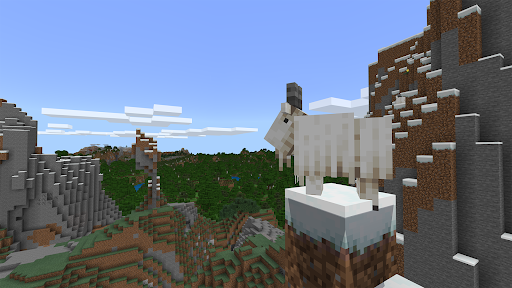
नया क्या है
1.21.131 Preview!!
इस ऐप के बारे में
THIS APP IS FOR SCHOOL AND ORGANIZATIONAL USE.
Minecraft Education Preview allows you to experience upcoming new features, fresh from the development team at Mojang Studios! Please note the following information about Minecraft Education Preview:
- You will not be able to join non-Preview player’s games
- Most settings will not be preserved from the retail version of Minecraft Education
- Any worlds played in Preview will not transfer to the retail version of Minecraft Education
- Lessons from the Library will work in Preview
- Preview builds may be unstable and do not represent final version quality
Minecraft Education licenses can be purchased with Admin access to a Microsoft 365 Admin Center account. Talk to your Tech Lead for information on academic licensing.
Terms of use: The terms that apply to this download are the terms that were presented when you purchased your Minecraft Education subscription.
Privacy policy: https://aka.ms/privacy
Minecraft Education Preview एपीके कैसे डाउनलोड करें
- APK Downloader होमपेज पर पैकेज नाम
com.mojang.minecraftedu_previewदर्ज करें। - अपने डिवाइस आर्किटेक्चर का चयन करें (आधुनिक उपकरणों के लिए ARM64 अनुशंसित है)।
- मर्ज की गई एपीके फ़ाइल प्राप्त करने के लिए डाउनलोड पर क्लिक करें।
- एपीके को अपने एंड्रॉइड डिवाइस पर ट्रांसफर और इंस्टॉल करें।
- अपडेट रहें: अपने पसंदीदा ऐप्स के नवीनतम सुरक्षित संस्करणों को खोजने और डाउनलोड करने के लिए नियमित रूप से APK Downloader पर जाएं।
सुरक्षा और हस्ताक्षर सत्यापन
यह APK डाउनलोड 100% सुरक्षित है। हम सत्यापित करते हैं कि फ़ाइल का क्रिप्टोग्राफ़िक हस्ताक्षर आधिकारिक डेवलपर क्रेडेंशियल से मेल खाता है। कोई संशोधन या एडवेयर नहीं हैं।