
डाउनलोड स्रोत
Device Configuration
स्प्लिट एपीके (Split APK) स्थापना गाइड
कुछ ऐप्स स्प्लिट एपीके (एक साथ पैक की गई कई .apk फाइलें) के रूप में वितरित किए जाते हैं। मानक एंड्रॉइड इंस्टॉलर उन्हें खोल नहीं सकते हैं।
सम्बन्धित ऐप्स



इस ऐप के बारे में
Better adblocking browsing starts with a 100-score performance. It's an architecture-level upgrade with 80+ new rules added for blocking types of ads. FAB offers 3x enhanced blocking experience against video ads, pop-up ads, and redirect ads for a faster, safer, and completely seamless web experience.
FAB AdBlock Browser | 3-in-1 experience, faster and safer:
🖥️ Clean page, no ads
🚀 Fastest page loading speed
🛡 VPN anti-tracking
Experience the power of advanced ad blocking, encrypted VPN, tracking protection, and AI-enhanced navigation—Built for speed, clarity, and a distraction-free browsing experience.
🔐 Private Browsing, No Traces Left
Your privacy is protected from the moment you open FAB.
✔Your browsing history and cookies won’t be saved—no one can see what you've viewed.
✔Save private pages with a password. Even if someone borrows your phone, your content stays hidden.
✔Automatically blocks ad trackers to protect your browsing habits from being analyzed, including hidden tracking scripts from popup ads.
📌 Unlike most browsers with “fake private modes,” FAB’s privacy tools are deeply integrated—providing system-level protection from interface to backend.
🌐 VPN
Hide your real IP and browsing activity through encrypted tunnels.
Connect to global networks with one tap and easily access overseas websites.
✔All your data is encrypted—no worries even on public Wi-Fi.
✔Your real location stays hidden, so websites and third parties can't track you.
✔Built-in protection keeps your information safe during transmission, even when accessing pages triggered by popup redirects.
📌 FAB's VPN is built directly into the browser—no need to install third-party apps. More secure, more private, and easier to use.
🚫 Ad Blocking
Say goodbye to distractions and enjoy a clean, high-performance browsing experience.
✔ Advanced Ad Filter Engine: Accurately blocks banner ads, popup windows, video ads, native ads, and sponsored content—even on social platforms.
✔ Automatic Pop-Up Blocker: Prevents annoying or deceptive pop-ups from disrupting your session.
✔ Video Ad Blocking: Skips or blocks video ads on supported platforms and media sites.
✔ Malicious Ad Protection: Stops ads that might contain viruses, spyware, or tracking code—keeping your device safe.
📌 Unlike browser plugins, FAB's adblocker is natively built into the browser engine for maximum efficiency and minimum resource usage. It won’t interfere with normal site functions or load times.
🧩 Extensions (Plugins)
Enhance your browsing experience with powerful extension support built into FAB.
FAB Browser offers full support for the Chrome Web Store, along with its built-in ad blocking capabilities—giving you both performance and flexibility in one place.
Based on Chromium, FAB provides access to a wide variety of extensions to expand and customize your browsing experience.
✔ Install and manage your favorite plugins with ease
✔ Improve productivity and control with extension-based tools
✔ Customize websites and workflows to fit your personal needs
✔ Enjoy smooth, stable performance with optimized extension support
📌 Whether you're a casual user or a tech-savvy explorer, FAB empowers you with advanced tools, seamless performance, and full extension support—all within a single browser.
✨ Extra Features
✔ AI Quick Access Navigation
✔ Dark Mode for low-light comfort
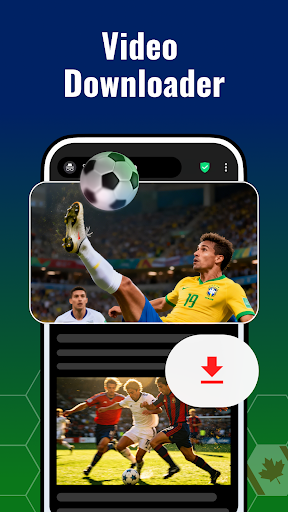
✔ Video Downloader with background playback
✔ Bookmark & History Sync across devices
✔ Optimized Performance – Saves battery and mobile data
✔ Compatible with Android 7 and above
📥 Download FAB Adblock Browser Now!
Browse the web faster, with stronger privacy and full protection.
🔍 Want to learn more?
Questions? Contact us at: support@rocketshield.co
Free Adblocker Browser:Adblock एपीके कैसे डाउनलोड करें
- APK Downloader होमपेज पर पैकेज नाम
com.hsv.freeadblockerbrowserदर्ज करें। - अपने डिवाइस आर्किटेक्चर का चयन करें (आधुनिक उपकरणों के लिए ARM64 अनुशंसित है)।
- मर्ज की गई एपीके फ़ाइल प्राप्त करने के लिए डाउनलोड पर क्लिक करें।
- एपीके को अपने एंड्रॉइड डिवाइस पर ट्रांसफर और इंस्टॉल करें।
- अपडेट रहें: अपने पसंदीदा ऐप्स के नवीनतम सुरक्षित संस्करणों को खोजने और डाउनलोड करने के लिए नियमित रूप से APK Downloader पर जाएं।
सुरक्षा और हस्ताक्षर सत्यापन
यह APK डाउनलोड 100% सुरक्षित है। हम सत्यापित करते हैं कि फ़ाइल का क्रिप्टोग्राफ़िक हस्ताक्षर आधिकारिक डेवलपर क्रेडेंशियल से मेल खाता है। कोई संशोधन या एडवेयर नहीं हैं।