
डाउनलोड स्रोत
Device Configuration
स्प्लिट एपीके (Split APK) स्थापना गाइड
कुछ ऐप्स स्प्लिट एपीके (एक साथ पैक की गई कई .apk फाइलें) के रूप में वितरित किए जाते हैं। मानक एंड्रॉइड इंस्टॉलर उन्हें खोल नहीं सकते हैं।
सम्बन्धित ऐप्स



नया क्या है
Thanks for using Tiny Scanner! Here's what's new:
- Bug fixes and performance improvements.
We love hearing from you! Please leave a review or contact us at support@tinyscanner.app
इस ऐप के बारे में
Tiny Scanner: Trusted by millions worldwide for more than 10 years.
Simple, fast and professional. From seniors to students, from IDs to notes, anyone can get a perfect scan in seconds.
Scan documents, convert to PDF, and use a full set of editing tools to meet all your needs right at your fingertips.
With Tiny Scanner, you will get:
SMOOTH SCANNING WORKFLOW
● AI powered border detection for automatic scanning;
● Batch scan for efficient multi page document scanning;
● Professional filters to suit all your document scanning needs;
● Supports compressing file size and sharing scanned documents in multiple ways.
MULTIPLE SCANNING MODES
● Securely scan passports, IDs, and driver’s licenses;
● Automatically recognize QR code content & open links;
● Measure object length and automatically calculate area;
● Automatically recognize identical objects and count the total;
● Recognize math problems and get results instantly.
COMPLETE PDF EDITING TOOLS
● Sign documents with support for scanned signatures or direct signing;
● Add text, images, or shapes to scanned documents;
● Add dates, footers, and page numbers to PDF filesl
● Protect documents by adding watermarks and markup to secure important content;
● Merge multiple files into a single PDF or split a PDF into separate files.
AI POWERED FILE TOOLS
● OCR text recognition to extract, copy, and share text content;
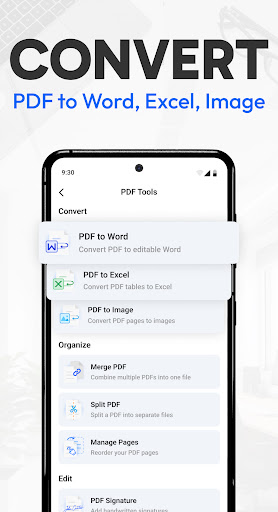
● Convert PDFs into Word, JPG, and Excel with just a few taps;
● Tiny Scanner AI now supports uploading files for summaries, content polishing, key entity extraction, and more;
● Cloud sync with free storage and seamless access across all your devices.
ENSURE FILE SECURITY AT ALL TIMES
● Encrypt shared PDF files to protect document security;
● Supports app encryption to protect private information;
● Encrypt folders to securely store important files only on your device.
Tiny Scanner helps you transform paper documents into professional PDF files within seconds.
Edit PDF text, sign with ease, and manage your files with rich PDF tools that cover everything from conversion to secure sharing.
WHY Tiny Scanner?
● Speed: Decades of refining ensure the smoothest and fastest scanning experience.
● Convenience: Quickly access the functions you need through the "Actions" page.
● Accessibility: Cloud storage allows you to access your scanned documents anytime, anywhere.
● Reliability: With a decade of trust from millions of small businesses and individuals, Tiny Scanner stands as a reliable scanning solution.
● Free your space: Scan important documents into your phone to free up space in your backpack, eliminating the need for piles of paper documents.
Terms of Service: https://bit.ly/3kaDAeG
Privacy Policy: https://bit.ly/2UzHqVJ
Tiny Scanner is constantly updated with new features. Please write to us before leaving negative reviews, as we can often help with your problem or help you better use the app.
If you have any problem or suggestion, please send mail to support@tinyscanner.app, you will get the response and solution in a short time.
Tiny Scanner - PDF Scanner App एपीके कैसे डाउनलोड करें
- APK Downloader होमपेज पर पैकेज नाम
com.appxy.tinyscannerदर्ज करें। - अपने डिवाइस आर्किटेक्चर का चयन करें (आधुनिक उपकरणों के लिए ARM64 अनुशंसित है)।
- मर्ज की गई एपीके फ़ाइल प्राप्त करने के लिए डाउनलोड पर क्लिक करें।
- एपीके को अपने एंड्रॉइड डिवाइस पर ट्रांसफर और इंस्टॉल करें।
- अपडेट रहें: अपने पसंदीदा ऐप्स के नवीनतम सुरक्षित संस्करणों को खोजने और डाउनलोड करने के लिए नियमित रूप से APK Downloader पर जाएं।
सुरक्षा और हस्ताक्षर सत्यापन
यह APK डाउनलोड 100% सुरक्षित है। हम सत्यापित करते हैं कि फ़ाइल का क्रिप्टोग्राफ़िक हस्ताक्षर आधिकारिक डेवलपर क्रेडेंशियल से मेल खाता है। कोई संशोधन या एडवेयर नहीं हैं।