
Sources de téléchargement
Device Configuration
Guide d'installation des APKs divisées (Split APKs)
Certaines applications sont distribuées sous forme d'APKs divisées (plusieurs fichiers .apk groupés) pour optimiser les ressources. Les installateurs Android standard ne peuvent pas les ouvrir.
Applications Connexes




Nouveautés
Bugs and stability fixes
À propos de cette application
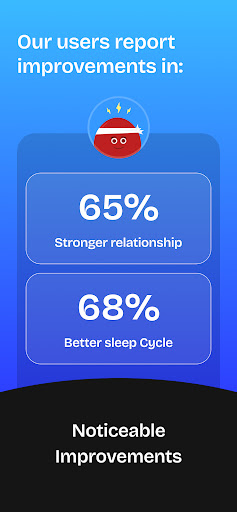
BlockerX is a content blocker app. In addition to NSFW content blocking, BlockerX can also block gambling apps, gaming, dating and social media apps. It will help you in improving you stay focused and enhance productivity.
Main features:
1) Adult content blocker: Block NSFW / inappropriate content, distracting apps & websites with the click of a single toggle switch. Any mature/explicit content will be fully filtered, taking away distractions & potential addictions. If you want to block specific websites or apps, you can further use the app/website blocking functionality.
2) Uninstall Notification: It helps you in avoiding relapses & staying accountable to your goals. Whenever you uninstall the app from your device, we send a notification to your accountability partner stating that you have uninstalled the BlockerX app.
3) Limit Social Media: We have scoured the internet and have built up a database that covers all social media websites and apps. Try to open any of them, and they are going to be blocked in a blink. This is designed to help you limit your social media usage. On top of that, we are constantly adding newer and newer websites for the app to block.
4) Game Blocker: Blocks all kinds of online gaming websites.
5) Community: BlockerX has a vibrant community of 100k+ people, who are on a similar path of avoiding relapses. You can post to the entire community. The community helps users fight their bad habits together, and eventually improve their productivity.
6) Accountability Partner: Quitting bad habits can indeed be very difficult on your own. Hence, we team you up with a friend, called an accountability partner. Your friend helps you stay accountable to your goals.
7) Safe search: Adult content is filtered in search engines like Google, Bing, etc. This also enforces a restricted mode on YouTube, which filters adult videos.
8) Restrict Unwanted Words: Different people get “triggered” by different kinds of content. This feature is very useful for people who want to restrict specific words on their browsers and apps. For example, if you want to avoid the word/phrase “adult video”, you can block it, and any web page containing this word/phrase will be automatically filtered.
9) Block Distracting Apps: It can help you block apps that you find distracting like Instagram, Twitter, YouTube, etc. Apps added to the blocklist will not be accessible.
10) Block gambling apps: You can block all gambling apps and websites with the click of a toggle switch. However, this isn't a free feature and requires a subscription.
11) Articles & Video Courses: We have experts who write about topics like dealing with urges, improving your relationship, why it’s hard to quit, etc.
Other important permissions required by the app:
VpnService (BIND_VPN_SERVICE): This app uses VpnService in order to provide a more accurate content blocking experience. This permission is required in order to block adult website domains & enforce safe search on search engines at the network. However, this is an optional feature. Only if the user turns on "block across browsers (VPN)" - VpnService will be activated.
Accessibility services: This app uses the accessibility service permission (BIND_ACCESSIBILITY_SERVICE) to block adult content websites. System alert window: This app uses the system alert window permission (SYSTEM_ALERT_WINDOW) to show a block window over adult content.
Use BlockerX - Improve your digital lifestyle & protect yourself from NSFW content.
Comment télécharger l'APK de BlockerX: Content Blocker
- Entrez le nom du paquet
io.funswitch.blockersur la page d'accueil d'APK Downloader. - Sélectionnez l'architecture de votre appareil (ARM64 recommandé pour les appareils récents).
- Cliquez sur Télécharger pour obtenir le fichier APK fusionné.
- Transférez et installez l'APK sur votre appareil Android.
- Restez à jour: Visitez régulièrement APK Downloader pour rechercher et télécharger les dernières versions sécurisées de vos applications préférées.
Sécurité et Vérification de Signature
Ce téléchargement APK est 100% sûr. Nous vérifions que la signature cryptographique du fichier correspond aux informations d'identification officielles du développeur. Aucune modification ni adware n'est injecté.