
Sources de téléchargement
Device Configuration
Guide d'installation des APKs divisées (Split APKs)
Certaines applications sont distribuées sous forme d'APKs divisées (plusieurs fichiers .apk groupés) pour optimiser les ressources. Les installateurs Android standard ne peuvent pas les ouvrir.
Applications Connexes


Nouveautés
- Introduced Angular Gradients 🎨
- Rebuilt settings screen with modern UI components
- Improved overall stability
- Fixed UI issues in the upload screen
À propos de cette application
We created IPS with the idea that no icon pack can fit your home screen better than the one you create by yourself. With IPS you can create an icon pack from scratch or you can download and apply one of thousand uploaded every day by our community.
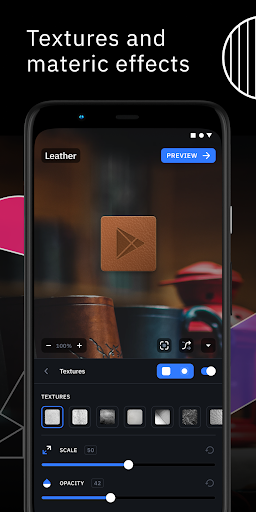
The advanced editor allows you to resize and move any element of your custom icon. Use special filters like lights, shadows, textures, and bezels and when you're happy with the result, apply the new icon pack to your custom launcher in just a few taps.
Icon Pack Studio is not only an icon pack maker, starting from version 2 you can import and tweak any icon pack installed on your device.
Icon packs created with Icon Pack Studio cover any app on your device No other icon pack downloaded from Play Store can do the same.
Icon Pack Studio is designed to work with Smart Launcher but works with almost any launcher
Tested launchers:
- Nova Launcher
- Action Launcher
- Lawnchar Launcher
- Hyperion Launcher
- Poco Launcher
- Miui Launcher
- ADW Launcher
- Microsoft Launcher
- Evie Launcher
- Total Launcher
- Niagara Launcher
- Square Home Launcher
- Apex Launcher
- Apex Launcher Classic
Unsupported launchers:
- Xperia Home Launcher
- Aviate
- Pixel Launcher
- AOSP Launcher
- Huawei Launcher
- Yahoo Japan Launcher
- +Home Launcher
- Samsung One UI Home
- LINE/Dodol Launcher
- Yandex Launcher
Many other launchers not in the list may be compatible with IPS.
Comment télécharger l'APK de Icon Pack Studio
- Entrez le nom du paquet
ginlemon.iconpackstudiosur la page d'accueil d'APK Downloader. - Sélectionnez l'architecture de votre appareil (ARM64 recommandé pour les appareils récents).
- Cliquez sur Télécharger pour obtenir le fichier APK fusionné.
- Transférez et installez l'APK sur votre appareil Android.
- Restez à jour: Visitez régulièrement APK Downloader pour rechercher et télécharger les dernières versions sécurisées de vos applications préférées.
Sécurité et Vérification de Signature
Ce téléchargement APK est 100% sûr. Nous vérifions que la signature cryptographique du fichier correspond aux informations d'identification officielles du développeur. Aucune modification ni adware n'est injecté.