
Sources de téléchargement
Device Configuration
Guide d'installation des APKs divisées (Split APKs)
Certaines applications sont distribuées sous forme d'APKs divisées (plusieurs fichiers .apk groupés) pour optimiser les ressources. Les installateurs Android standard ne peuvent pas les ouvrir.
Applications Connexes



Nouveautés
We are constantly working on bug fixes and improvements to keep giving you the best experience and get the most out of your Thermomix, with Cookidoo®.
À propos de cette application
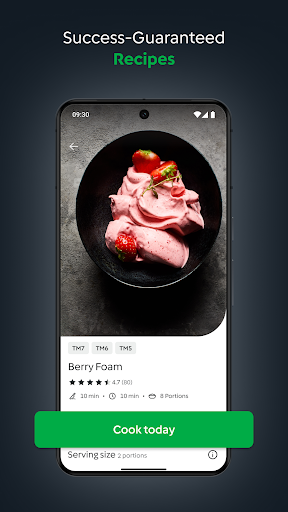
The Official Thermomix® Cookidoo® App gives you access to the growing universe of mouth-watering Thermomix® Guided Cooking recipes. You pick and choose which recipes go with you wherever you are. Create an account and get cooking!
SMART @ HEART
Connect to Cookidoo® and access over 100,000 worldwide recipes directly from your app and through the screen of the Thermomix® TM6. Also be sure to check out the new exclusive step-by-step photos and videos, making cooking easier than ever.
YOUR THERMOMIX® COOKIDOO® ACCOUNT
To use the app, you need to have your Thermomix® Cookidoo® username and password. Your local Thermomix® Cookidoo® website will tell you how to create your account for the app.
GET INSPIRED
Wondering what you are cooking today? Discover hundreds of ideas for every taste, season and occasion! With Cookidoo® Membership you get instant access to every recipe on Cookidoo®. Everything’s on the menu! Our recipe suggestions and articles will point you in the right direction.
CREATED RECIPES
Discover our newest Cookidoo® feature! You can create, import and modify your favourite recipes, save them all in one place and cook them with your Thermomix®. Your Thermomix®, your way.
PLAN AND COOK
Planning is easy and fun, add recipes to your planner and find the recipes ready for cooking when you need them. The Cook Today button on each recipe lets you schedule a recipe with a single click.
MAKE IT YOUR OWN
Create your own recipe lists to manage your recipes the way you want. Bookmark any recipe you find appealing so you can find it later. You can also view recipes you scheduled in the past.
COOK-KEY® BRINGS GUIDED COOKING TO YOUR FINGER TIPS
Cook-Key® connects your Thermomix® TM5 to Cookidoo®. Enjoy sending your recipe favourites, weekly planning and recipe collections from the Android App to your Thermomix®.
Comment télécharger l'APK de Thermomix Cookidoo App
- Entrez le nom du paquet
com.vorwerk.cookidoo.ussur la page d'accueil d'APK Downloader. - Sélectionnez l'architecture de votre appareil (ARM64 recommandé pour les appareils récents).
- Cliquez sur Télécharger pour obtenir le fichier APK fusionné.
- Transférez et installez l'APK sur votre appareil Android.
- Restez à jour: Visitez régulièrement APK Downloader pour rechercher et télécharger les dernières versions sécurisées de vos applications préférées.
Sécurité et Vérification de Signature
Ce téléchargement APK est 100% sûr. Nous vérifions que la signature cryptographique du fichier correspond aux informations d'identification officielles du développeur. Aucune modification ni adware n'est injecté.