
Sources de téléchargement
Device Configuration
Guide d'installation des APKs divisées (Split APKs)
Certaines applications sont distribuées sous forme d'APKs divisées (plusieurs fichiers .apk groupés) pour optimiser les ressources. Les installateurs Android standard ne peuvent pas les ouvrir.
Applications Connexes


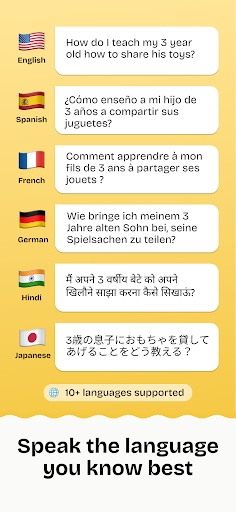
À propos de cette application
Kiddopedia: Practical Parenting, Calibrated for You.
Parenting isn’t about having all the answers; it’s about knowing what to do next.
Kiddopedia is a focused, high-utility app for parents who need a calm, specific, and actionable idea when they’re stuck in the middle of a challenging moment. Whether it's a toddler’s tantrum, a school-age child’s frustration, or a teenager’s withdrawal, Kiddopedia helps you move from uncertainty to action in seconds.
HOW IT WORKS
The Ask: Describe your situation and your child’s age (0-18).
The Reframe: Receive a single, brief insight into why the behavior might be happening developmentally.
The Action: Get immediately usable suggestions tailored to your child’s age.
The Resolution: Pick one, try it, and move forward with your day.
WHY KIDDOPEDIA?
No Theory, Just Practice: We don’t give you articles to read or long-winded advice. We give you a plan.
Age-Specific Logic: Advice for a 3-year-old and a 13-year-old is never the same. Our suggestions are calibrated to your child’s specific developmental stage.
Zero Friction: No ads, no paywalls, no notifications. Your focus should be on your child, not your phone.
Calm Design: A clean, high-contrast interface designed for clarity, even if you’re tired or stressed.
Kiddopedia is like having a trusted guide who knows your child and is always ready with a quick, sensible advice.
Ask. Get unstuck. Go.
Comment télécharger l'APK de Kiddopedia: Parenting Guide
- Entrez le nom du paquet
com.sagarvasnani.kiddopediasur la page d'accueil d'APK Downloader. - Sélectionnez l'architecture de votre appareil (ARM64 recommandé pour les appareils récents).
- Cliquez sur Télécharger pour obtenir le fichier APK fusionné.
- Transférez et installez l'APK sur votre appareil Android.
- Restez à jour: Visitez régulièrement APK Downloader pour rechercher et télécharger les dernières versions sécurisées de vos applications préférées.
Sécurité et Vérification de Signature
Ce téléchargement APK est 100% sûr. Nous vérifions que la signature cryptographique du fichier correspond aux informations d'identification officielles du développeur. Aucune modification ni adware n'est injecté.