
Sources de téléchargement
Device Configuration
Guide d'installation des APKs divisées (Split APKs)
Certaines applications sont distribuées sous forme d'APKs divisées (plusieurs fichiers .apk groupés) pour optimiser les ressources. Les installateurs Android standard ne peuvent pas les ouvrir.
Applications Connexes




Nouveautés
Added Boost Heat Mode for supported outdoor units
À propos de cette application
Ruud for Contractors offers the industry’s most powerful, intuitive, and easy-to-use app.
Whether you’re on a residential service call or installing 40 units at a major site, the free Ruud Contractor app’s Bluetooth® capability – paired with an enabled HVAC system -- makes set-up and troubleshooting simpler than ever.
With Ruud for Contractors and eligible air systems, you can easily:
Install
- Set up systems quickly and easily with the new Bluetooth® setup
- Monitor operating parameters from your phone while charging outdoor units
- Verify system setup with access to system operating status
- Quickly check for alarms
Service
- Diagnose active alarms and alarm history
- Check system operating status
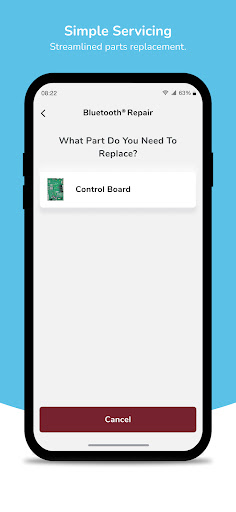
- Easy step-by-step parts replacement and system setup
The Ruud for Contractors app also offers powerful support for all of our air and water products, with a new Product Technical Support design that is easier to use and more accurate than ever:
- Access installation instructions
- Search parts lists
- Download manuals
- View tech sheets
- Research consumer literature
Track Warranty information
- Scan and confirm model and ownership details
- Check warranty status and share HVAC systems warranty certificate
Locate
- Look up retailers
- Look up distributors
Research
- Find up-to-date rebate information
- Research financing options
- Offer extended warranty
- Confirm AHRI information and certification for HVAC systems
Comment télécharger l'APK de Ruud
- Entrez le nom du paquet
com.ruud.contractorsur la page d'accueil d'APK Downloader. - Sélectionnez l'architecture de votre appareil (ARM64 recommandé pour les appareils récents).
- Cliquez sur Télécharger pour obtenir le fichier APK fusionné.
- Transférez et installez l'APK sur votre appareil Android.
- Restez à jour: Visitez régulièrement APK Downloader pour rechercher et télécharger les dernières versions sécurisées de vos applications préférées.
Sécurité et Vérification de Signature
Ce téléchargement APK est 100% sûr. Nous vérifions que la signature cryptographique du fichier correspond aux informations d'identification officielles du développeur. Aucune modification ni adware n'est injecté.