
Sources de téléchargement
Device Configuration
Guide d'installation des APKs divisées (Split APKs)
Certaines applications sont distribuées sous forme d'APKs divisées (plusieurs fichiers .apk groupés) pour optimiser les ressources. Les installateurs Android standard ne peuvent pas les ouvrir.
Applications Connexes






Nouveautés
General bug fixes and performance enhancements
À propos de cette application
Discover what’s really on your favorite grocery products and see beyond the labels! Dive deep into the world of food preparation with Processed, your dedicated food scanner powered by advanced AI. The Processed App is here to tell you if what you're about to consume is ultra-processed, processed, minimally processed or a whole food.
YOUR AI-POWERED FOOD DETECTIVE
With Processed, get instant transparency into what goes into making the food you eat. Our sophisticated AI analyzes the ingredients and breaks them down for you in a simple to understand format and highlighting if they fall under the ultra-processed category.
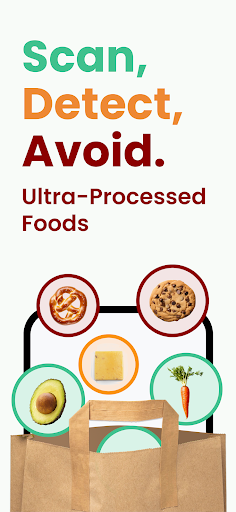
SCAN, DETECT, AVOID
Whether it’s a barcode from a multinational brand or a handwritten list of ingredients from a local delicacy, our food scanner is trained to understand and inform. Simply point, capture, and let Processed do its magic.
DATABASE THAT GROWS WITH YOU
Our database is vast and growing, covering food items from all around the globe, flagging ultra-processed foods effectively. What’s more? It expands with every scan, making our insights richer with each use.
KEEP TRACK OF YOUR FOOD JOURNEY
The Processed App includes a detailed Scan History so that you can revisit your past scanned items, complete with product images, brand details, ingredients, processing method and the exact time of the scan.
STAY CONNECTED
Suggestions, questions about ultra-processed foods, or just some food love to share? Drop us a line at hello@processedapp.com.
If you’re enjoying the Processed experience, we'd appreciate a moment of your time for a review. Learn More: processedapp.com
Disclaimer: This application is for entertainment purposes only and is not meant to replace the advice of a doctor or dietician. Results are based on the NOVA guide and ChatGPT insights. Data may have inaccuracies. Always double-check with a qualified professional and make informed food choices. Not a substitute for professional or medical advice.
Comment télécharger l'APK de Processed: UPF Food Scanner
- Entrez le nom du paquet
com.processedapp.processedsur la page d'accueil d'APK Downloader. - Sélectionnez l'architecture de votre appareil (ARM64 recommandé pour les appareils récents).
- Cliquez sur Télécharger pour obtenir le fichier APK fusionné.
- Transférez et installez l'APK sur votre appareil Android.
- Restez à jour: Visitez régulièrement APK Downloader pour rechercher et télécharger les dernières versions sécurisées de vos applications préférées.
Sécurité et Vérification de Signature
Ce téléchargement APK est 100% sûr. Nous vérifions que la signature cryptographique du fichier correspond aux informations d'identification officielles du développeur. Aucune modification ni adware n'est injecté.