
Sources de téléchargement
Device Configuration
Guide d'installation des APKs divisées (Split APKs)
Certaines applications sont distribuées sous forme d'APKs divisées (plusieurs fichiers .apk groupés) pour optimiser les ressources. Les installateurs Android standard ne peuvent pas les ouvrir.
Applications Connexes




Nouveautés
8th Anniversary Feature Drop:
• Full screen supported now!
• Brand new unlock feature.
• Screen opacity control.
• Major app overhaul.
• Bonus icon design.
• Improved UI and UX.
• Latest Android support.
• Optimisations and a lot more.
À propos de cette application
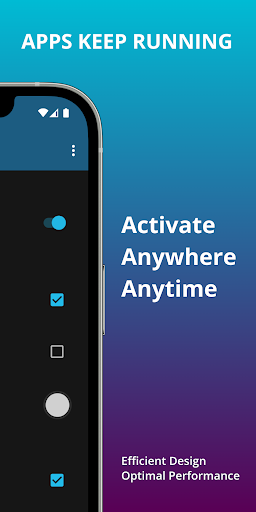
🔲 Blackr simulates a screen off state over apps and does not stop them from running. Useful for turning display off while streaming videos, camera recording and various other use cases.
🌏 Installed by over 1+ Million users globally!
⏺️ Simple and smart design makes it very easy and convenient to use. Works best with OLED & AMOLED displays that switch off any pixel displaying true black.
⬛ Can also be used as a pure black screen app, always on display (AOD) or simulated lock screen depending on the scenario.
🆓 Contains NO ADS at all and minimum permissions. Not even internet permission is requested. Designed with absolute user privacy and optimal battery usage in mind.
✨ FEATURES:
• Use notification, widgets or floating icon to start.
• Now with full black screen support everywhere.
• Keep apps running & screen essentially off.
• Supports quick tiles in notification bar.
• Highly customizable intuitive design.
• Clock toggle for pure black screen.
• Motion clock prevents screen burn in.
• Display date, time and battery (optional).
• Prevent device from sleeping (if needed).
• Small app size and extremely efficient app design.
🌟 ADVANCED FEATURES such as fixed icon position, modern icon design, unlock button to prevent accidental unlock and screen opacity control make the app super customisable to your liking and needs.
🚀 QUICK LAUNCH allows you to launch chosen apps with a simple tap or press. Making it convenient to use your favourite app with ease. Supports apps like YouTube, Netflix, Prime Video, Disney+ and many more.
🔒 UNLOCK STYLE allows advanced gestures to disable black screen mode to prevent accidental unlock. You can use either swipe up and down together, or upto four taps to unlock. Feature has come in place by popular user demand.
🌈 RGB LIGHTING which fades through different hues. You have to see it to believe how amazing it looks. Gives the design a modern aesthetic.
🟰 SYMMETRICAL CLOCK ensures the clock is moving only along the vertical axis for perfect symmetry yet avoiding any chances of burn in. Helping prolong the life of your screen.
Optional way to use the app is to add a Blackr button in the quick tile settings in device status bar (near wifi, bluetooth, etc). It works seamlessly any time!
App works by displaying a black overlay on top of the screen and on most modern displays black pixels are turned completely off, effectively turning the display off.
Technically, it is an overlay and your phone is not sleeping while this is on. So power reduction is mostly from less or no screen usage, and helpful to prevent screen burn in.
💫 Works best on OLED screens like AMOLED, PMOLED, QD-OLED and similar display technologies that switch off any pixel displaying true black. App will still work on any display though.
Runs optimal on devices like Google Pixel, Samsung Galaxy, Samsung Fold and Flip, OnePlus and more. Any device with OLED display will work great and just as intended.
Can also be used to reduce any burn-in on screens, as we change the lit pixels every minute, it acts as a good screen reset.
🏅 This app can be used in many scenarios like recording long videos, watching YouTube, Netflix, Prime video, etc. with screen off or streaming videos while listening to music only.
Moreover, users find it quite useful in keeping screen on or off manually rather than using the lock button during frequent use. The application is usable in countless scenarios.
🔷 8th Anniversary Feature Drop is now live. Thanks to all our amazing users for the endless love received. Enjoy!
Comment télécharger l'APK de Blackr: OLED Screen Off
- Entrez le nom du paquet
com.neximolabs.blackrsur la page d'accueil d'APK Downloader. - Sélectionnez l'architecture de votre appareil (ARM64 recommandé pour les appareils récents).
- Cliquez sur Télécharger pour obtenir le fichier APK fusionné.
- Transférez et installez l'APK sur votre appareil Android.
- Restez à jour: Visitez régulièrement APK Downloader pour rechercher et télécharger les dernières versions sécurisées de vos applications préférées.
Sécurité et Vérification de Signature
Ce téléchargement APK est 100% sûr. Nous vérifions que la signature cryptographique du fichier correspond aux informations d'identification officielles du développeur. Aucune modification ni adware n'est injecté.